 Givata
Property management software · client work
Every building, every suite, one app.
Rent statements, repairs, renewals, and tenant letters used to live in a spreadsheet, a notebook, and an inbox. Now one app sends the statements on schedule and keeps every suite's history. An AI team drafts the follow-ups, and the owner approves each one with a tap. Givata built it for a family-owned commercial landlord with two multi-suite buildings.
Built with Next.js and SQLite on a persistent server · made for the phone first
The trailer
Under a minute, every feature.
The app needs a login, so this video is the tour. It shows the real app with made-up buildings and tenants.
What it is
The building's memory, and its to-do list.
Every tenant, lease, deposit, repair, vendor, and letter lives in one place, tied to the suite it belongs to. The app uses that history to know what's due next. Then it either does the job, like sending this month's statements, or drafts it for the owner to approve.
Before
- Statements typed up by hand each month
- Rent increases worked out on a calculator
- Repairs and quotes scattered across texts and emails
- Lease end dates remembered, or missed
- Every tenant letter written from scratch
After
- Statements made and sent on the same day each month
- Yearly increases and rent steps worked out by the app
- One service log with vendors, quotes, photos, and costs
- Renewals and deadlines on the dashboard, in date order
- Letter templates that fill in each tenant's details
The dashboard
What needs attention, on one screen.
The monthly rent roll, how full the building is, open work orders, and renewals coming up. Below that, everything that needs attention and every date coming up: lease ends, equipment service, and notice deadlines. Switch buildings from the top bar.
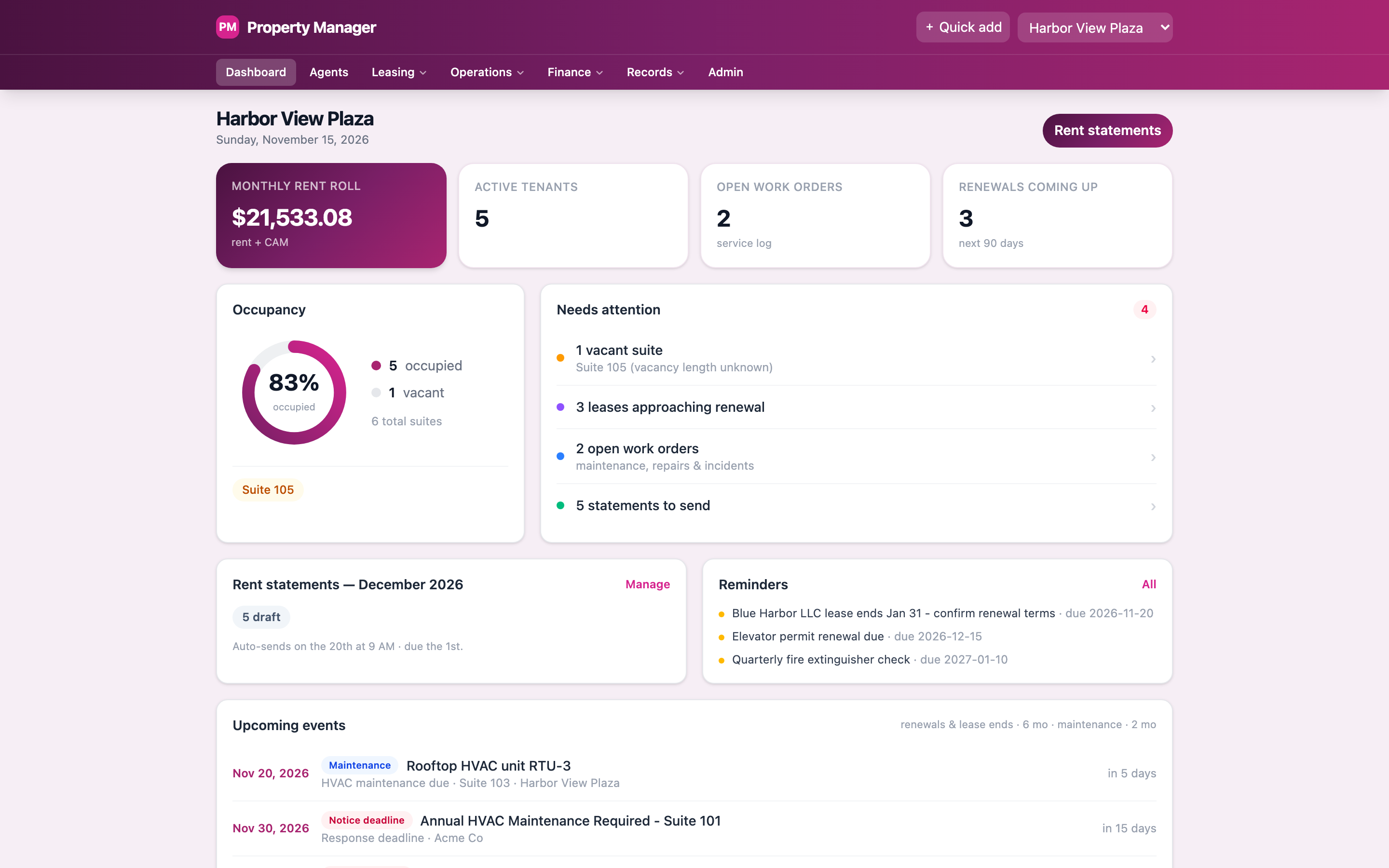
A sample building's dashboard.
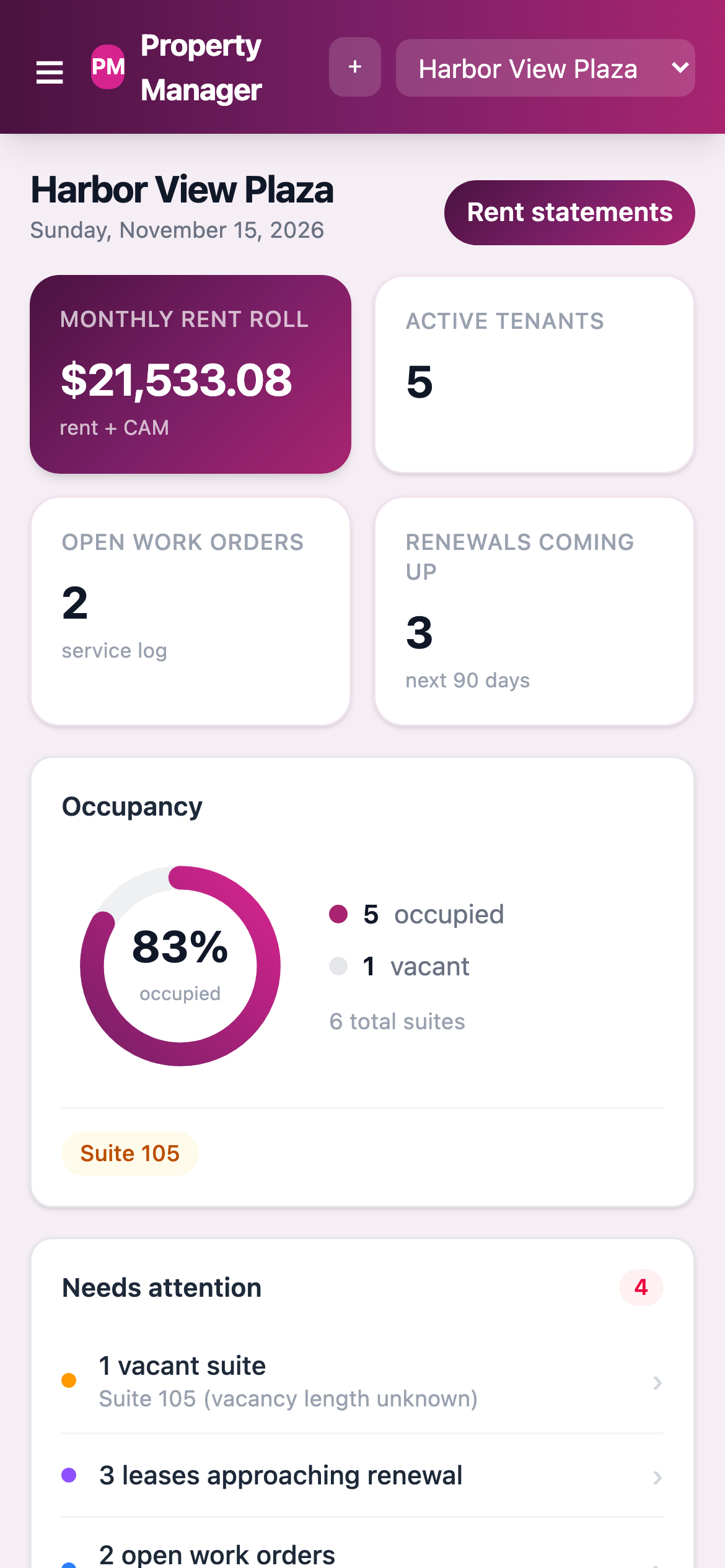
Made for the phone first, because the owner is often on site.
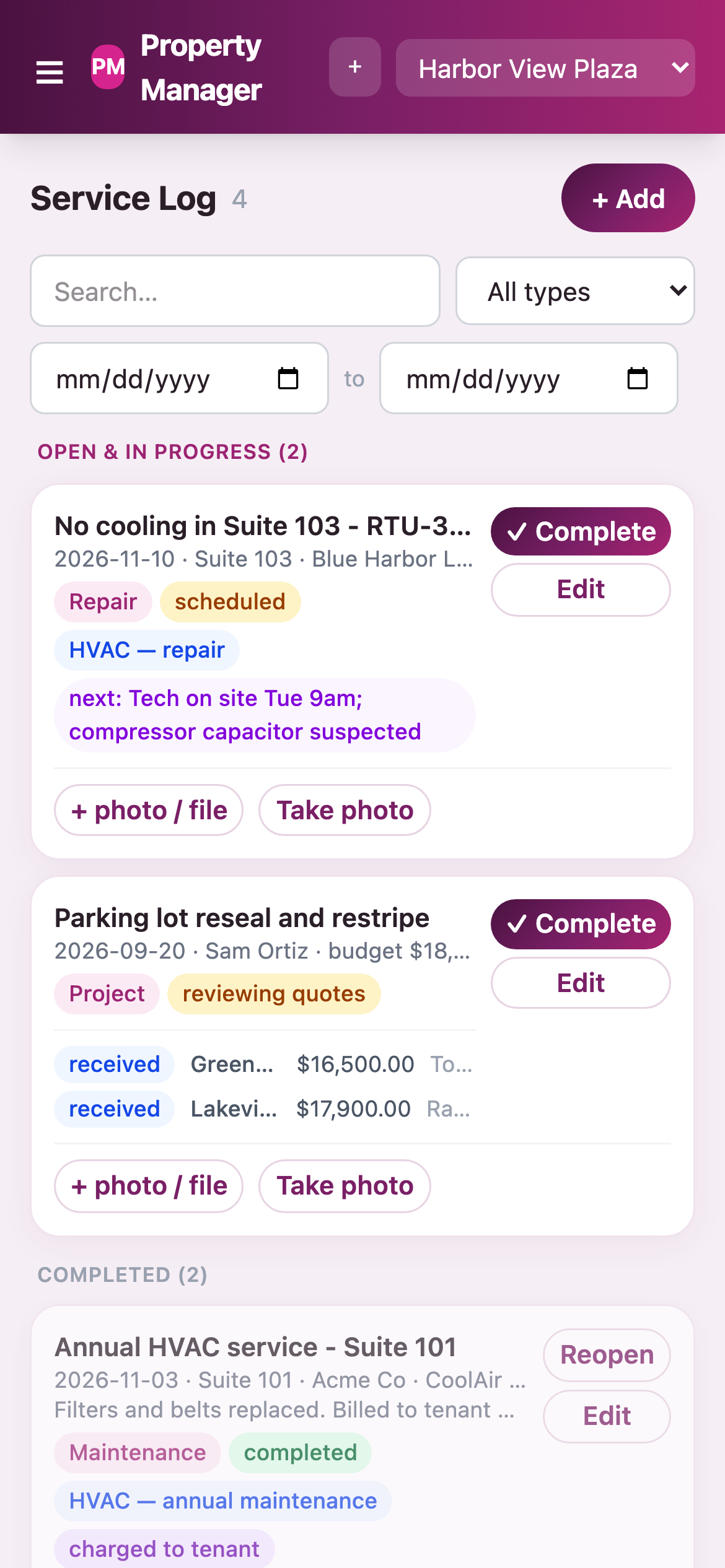
Log a repair and take a photo from the roof.
Rent and statements
Statements go out on the same day every month.
The app makes each tenant's statement: rent, shared building costs, and any repair the tenant was charged for. On the day the owner picks, it sends them all and emails the owner a summary. Each tenant gets theirs by email, by mail, or both.
Hold one back without stopping the rest.
Turn sending off for one building or one tenant. Or skip just this month for one tenant. Everything else still goes out on time.
Every statement ever sent is kept, with month totals and an Excel export.
- Make drafts, check them, then send all with one button
- Or let it send on its own on a set day
- A clean statement on letterhead, with a payment slip
- A repair charged to a tenant lands on their next statement
- The rent roll with a 12-month chart
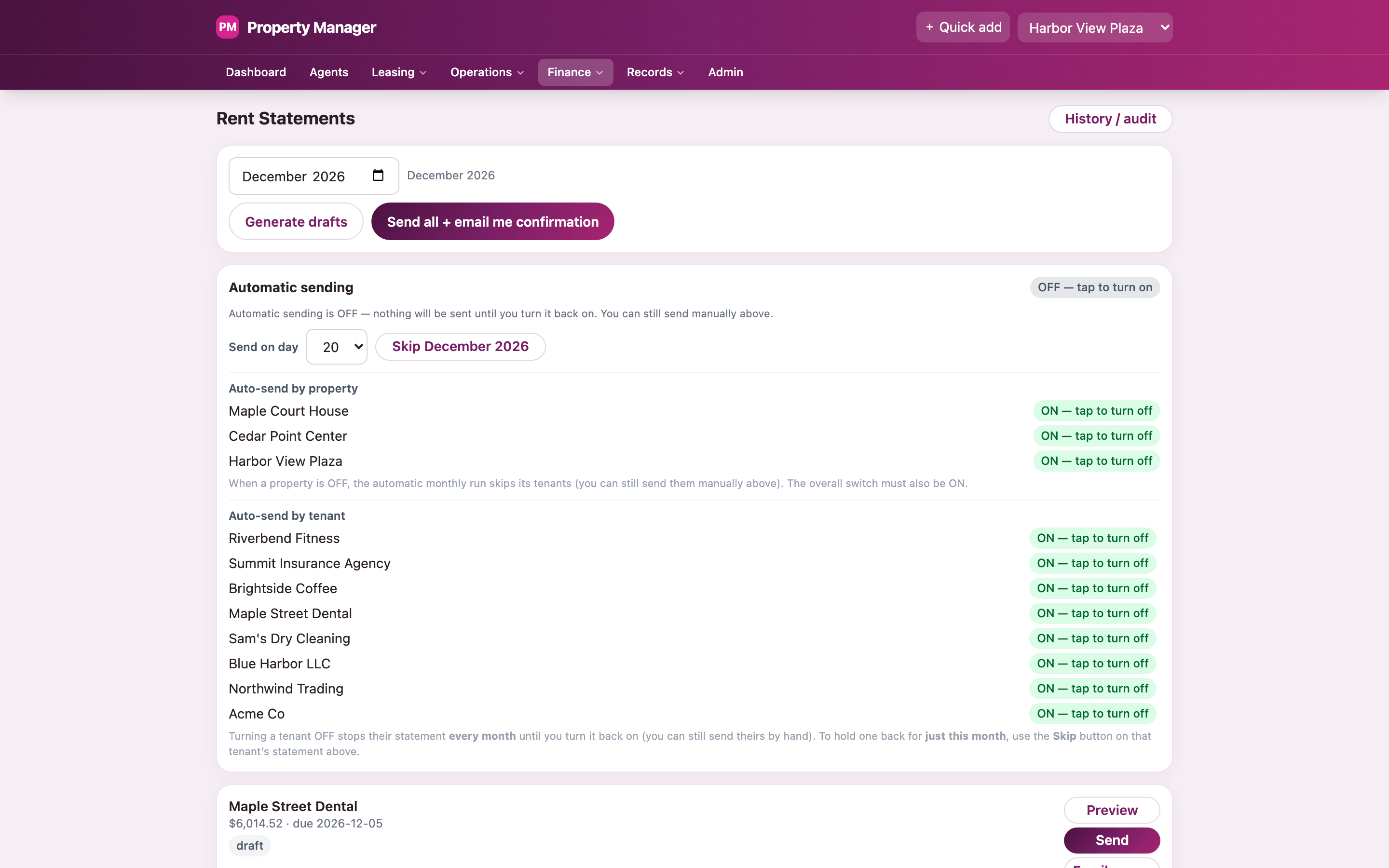
Switches for each building and each tenant.
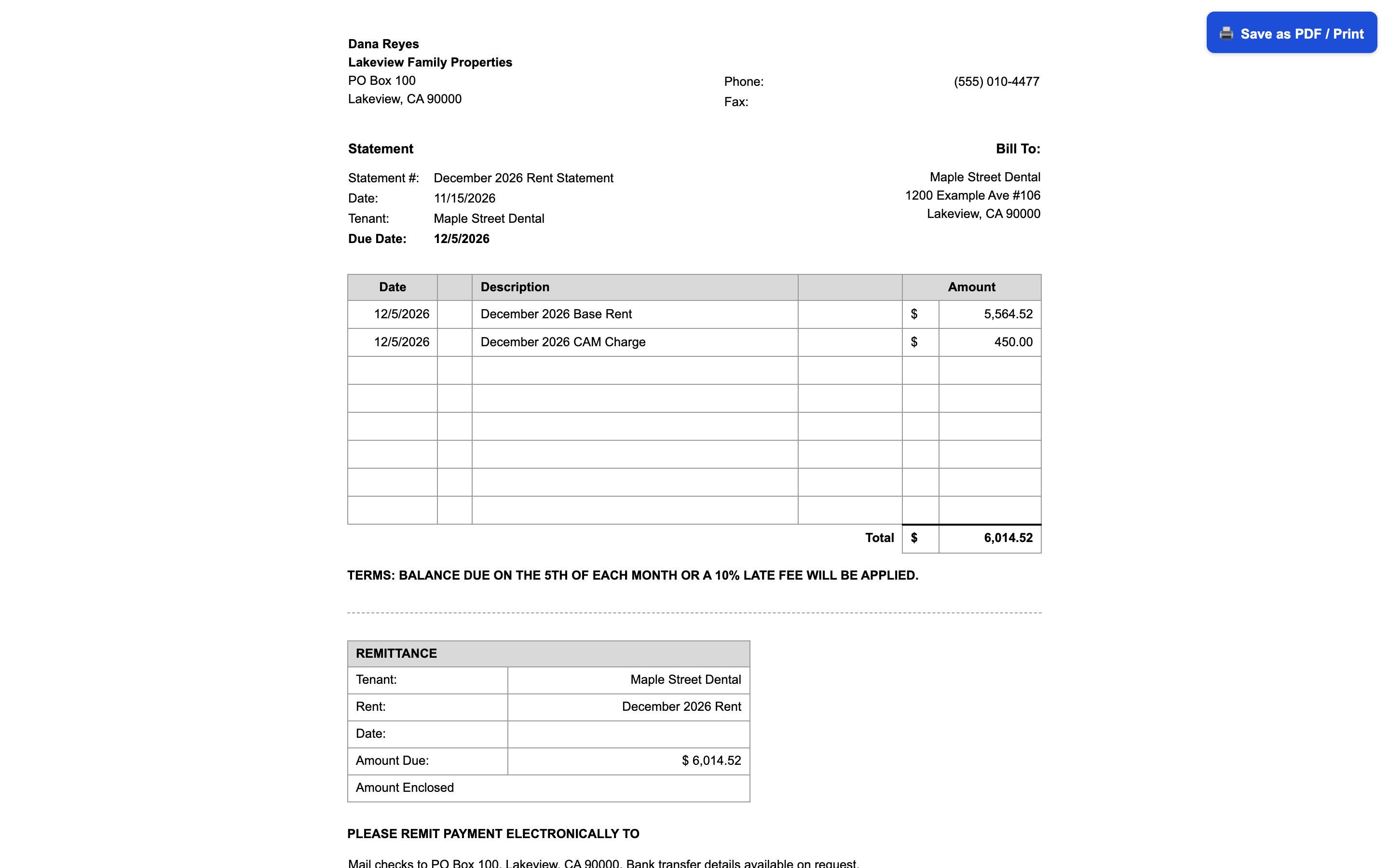
A sample statement, ready to save as a PDF.
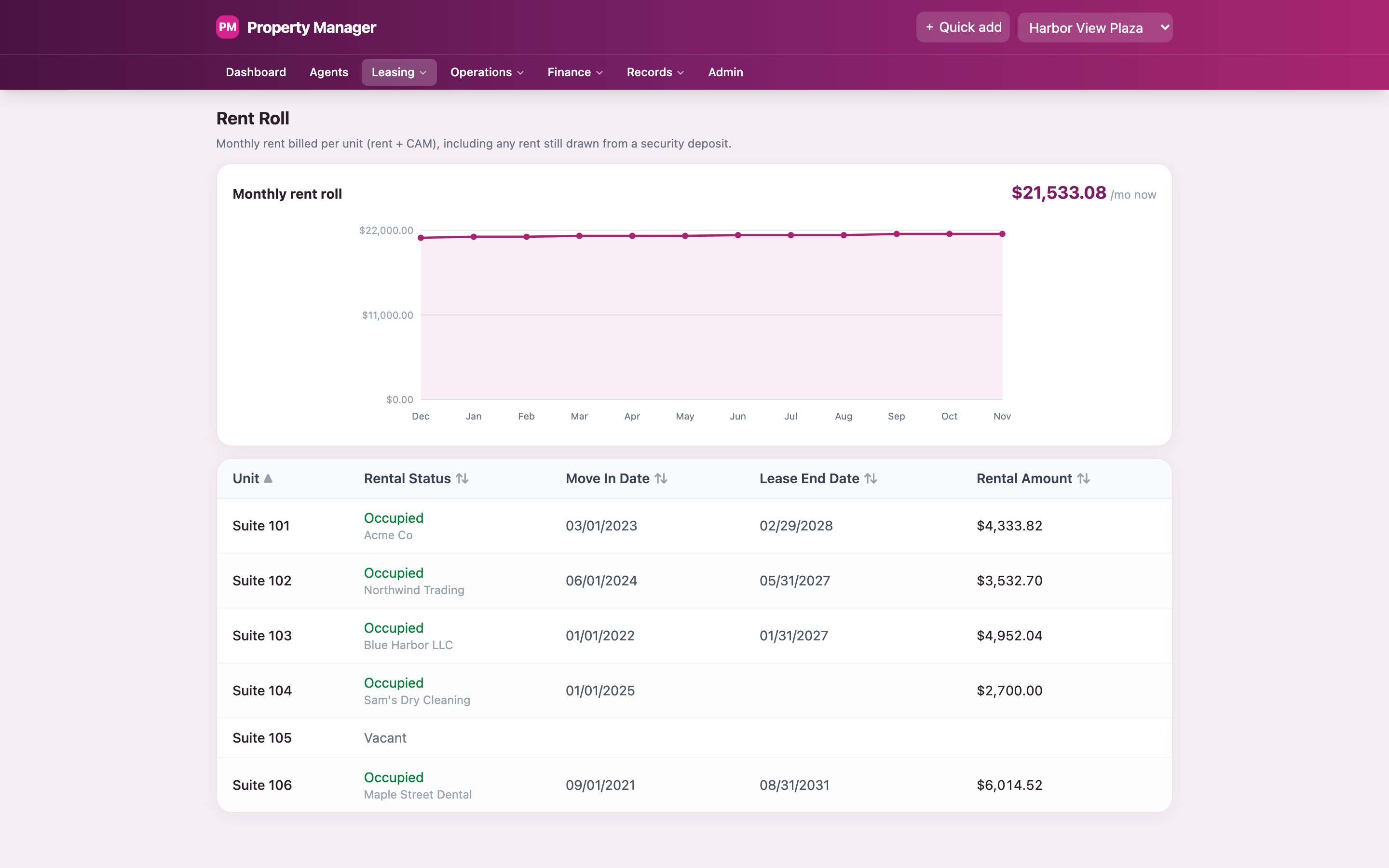
Six sample suites, one of them empty.
Tenants and leases
Everything about a tenant, on one page.
Contacts, the suite, how they want their statements, every statement sent, every repair, the deposit, keys handed out, and letters sent. It shows what the tenant started paying, what they pay now, and what they'll pay next.
The rent math is done for you.
Enter the starting rent, the yearly increase, and any set rent steps. The app works out the rent on each anniversary and adds the shared building costs. Nobody has to redo it on a calculator.
- Lease terms, month-to-month, and renewal reminders
- Security deposits: held, used, deducted, returned, with a countdown
- Read a signed lease PDF and fill in the tenant and lease for review
- Keys and gate remotes, with a key agreement to print and sign
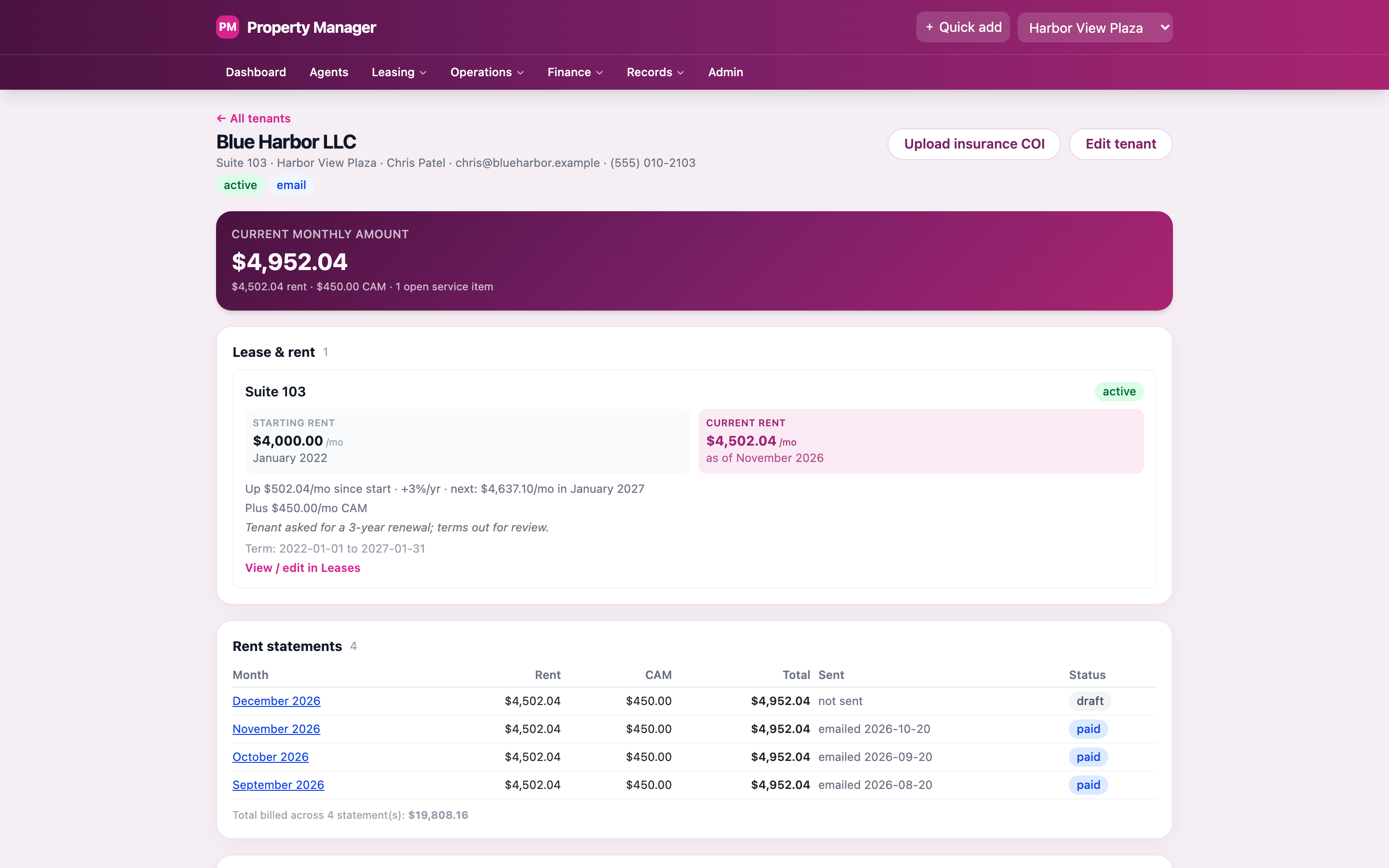
A sample tenant: started at $4,000, pays $4,502.04 now.
Fill in the lease from what the app already knows.
Pick a tenant and the 6-page commercial lease fills in their name, the address, the rent, and the terms. Preview it, then email a locked copy that can't be edited. Any document can also be sent for e-signature, with a full signing record.
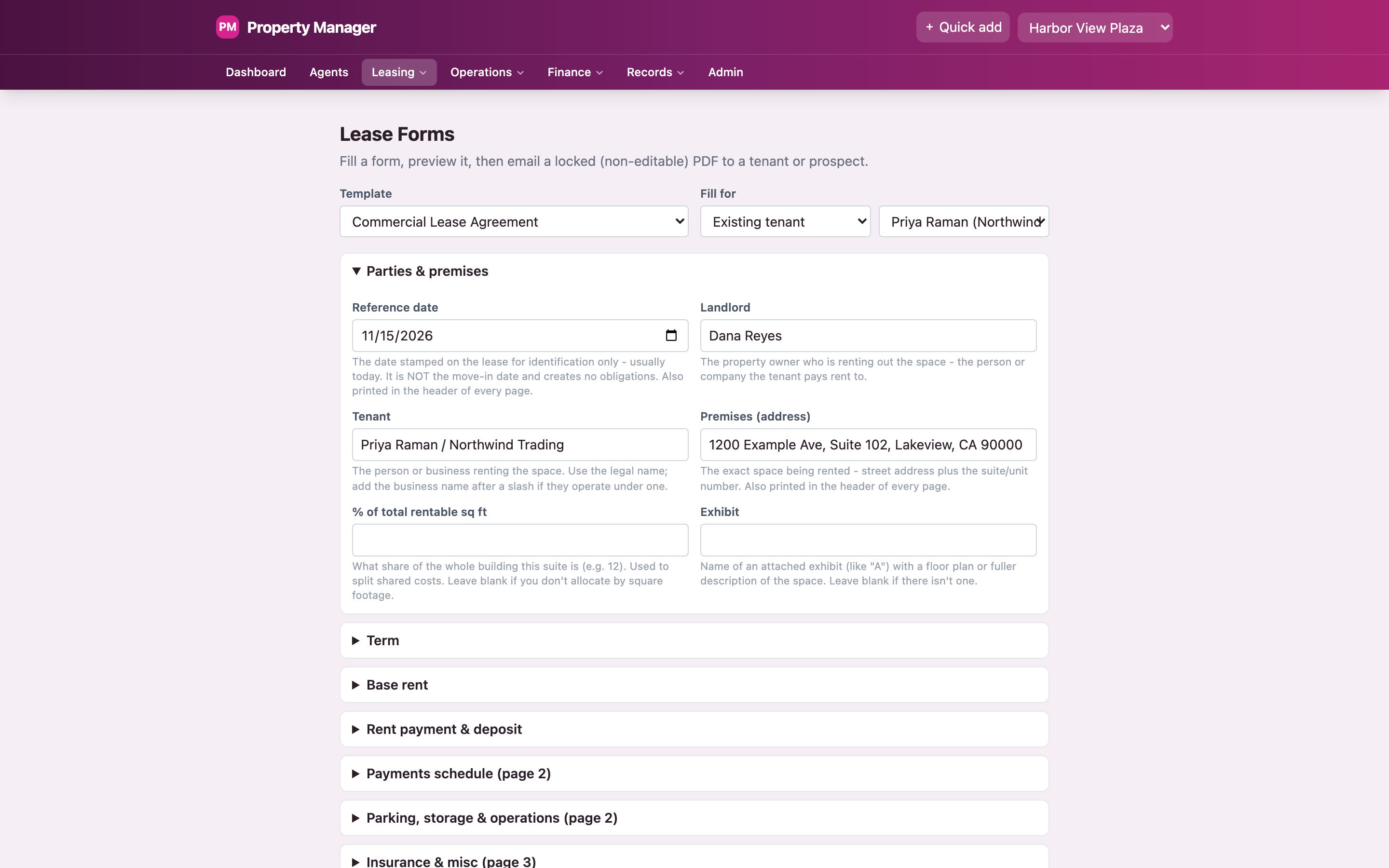
The lease form, filled in for a sample tenant.
Repairs, equipment, vendors
Every repair, quote, and vendor, in one log.
Repairs, routine maintenance, incidents, and bigger projects all go in the service log. Each one has the vendor, the cost, photos, and the next step. A project can hold several vendor quotes side by side.
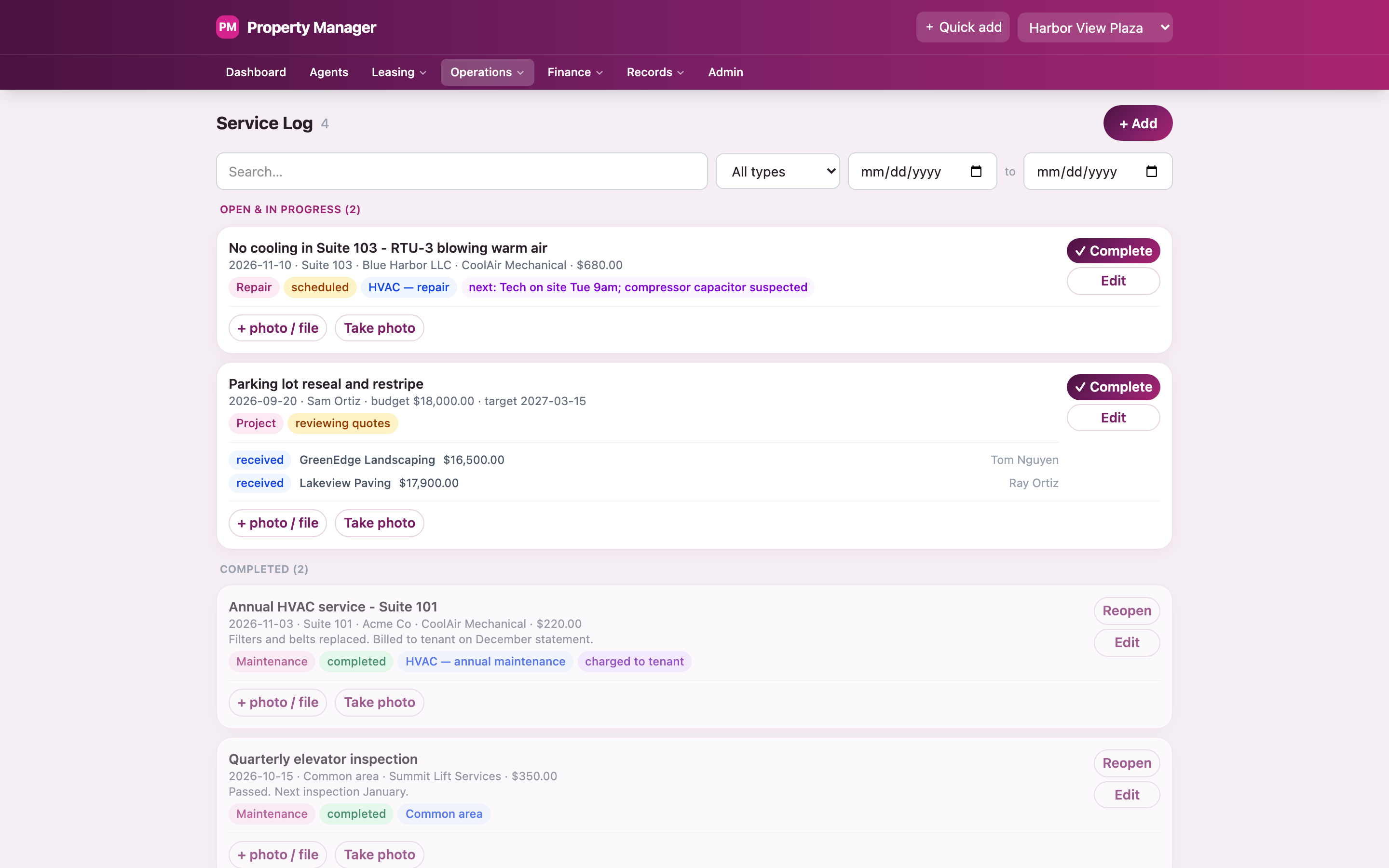
An open repair, a project with two quotes, and finished jobs.
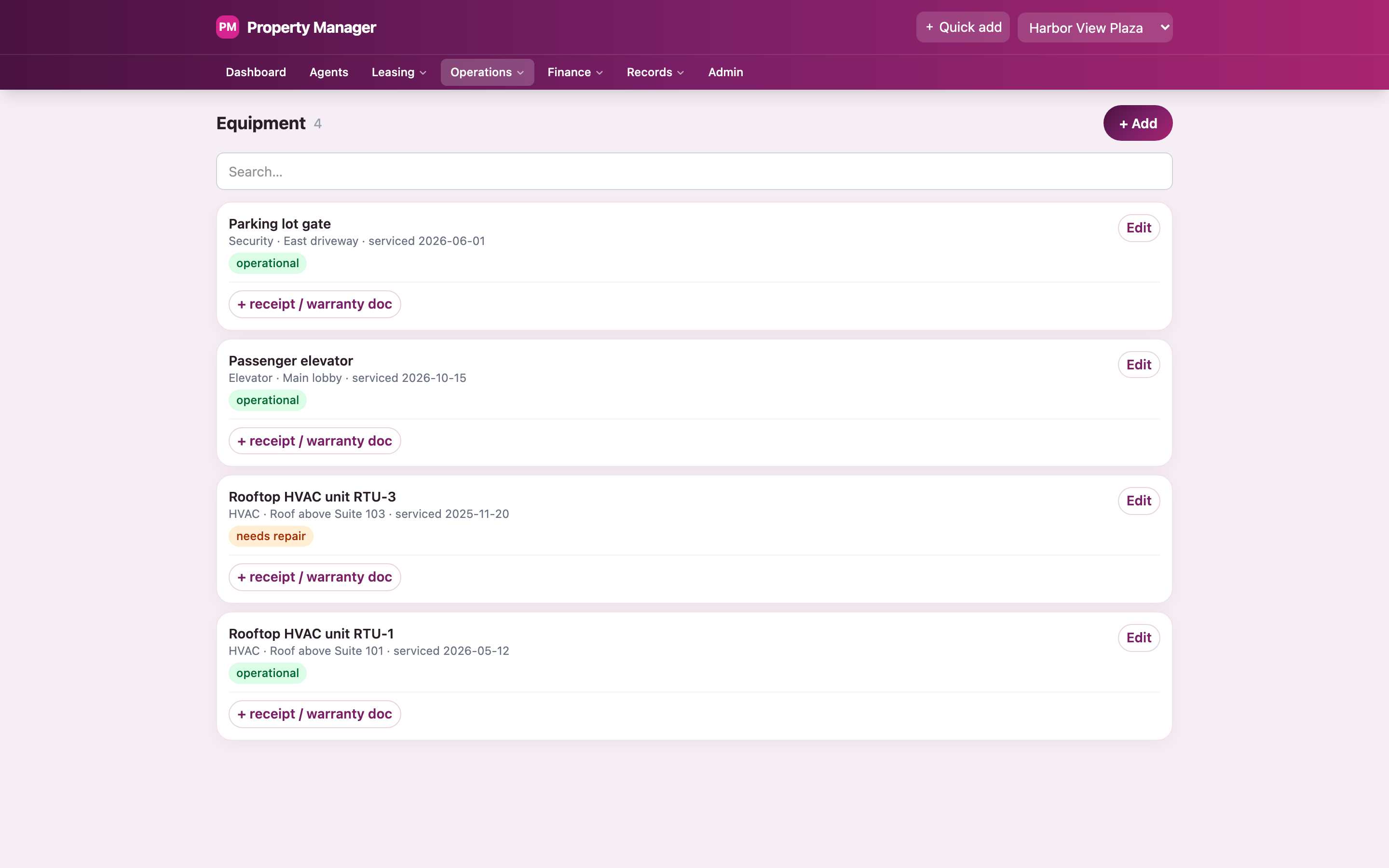
Equipment with service dates. One unit needs a repair.
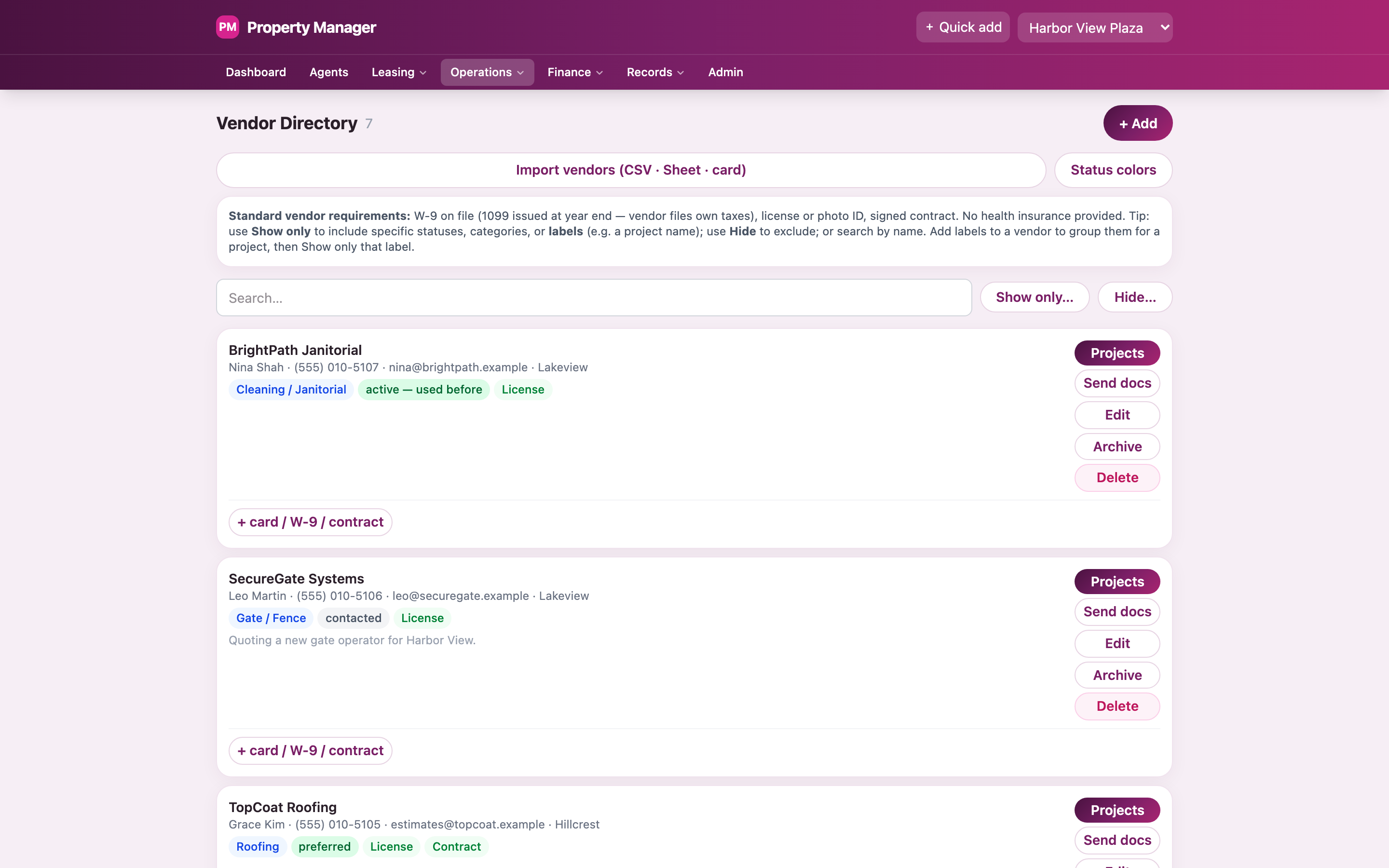
Vendors, with their paperwork status.
Service reminders
Next service dates for equipment show up on the dashboard on their own.
One job, several tenants
A repair that affects more than one tenant is logged once.
Send vendors their paperwork
Email a vendor the contractor agreement and a blank tax form in one step.
Add vendors fast
Import from a spreadsheet, or from a photo of a business card.
What each vendor is owed
See what each vendor billed, what was paid, and what's still owed.
Codes and building notes
Gate and alarm codes in one place, and dated notes on each building's quirks.
Expenses
Forward a receipt. It's logged.
Every cost is saved with its category, vendor, how it was paid, and the receipt. Forward a receipt by email and the app reads it, logs it, adds the vendor, and links it to the open job. It also tracks what the owner still owes the manager for things paid out of pocket.
Year-end is a button.
Costs that repeat log themselves each month, quarter, or year. At year-end, download every expense as an Excel file or a printable PDF.
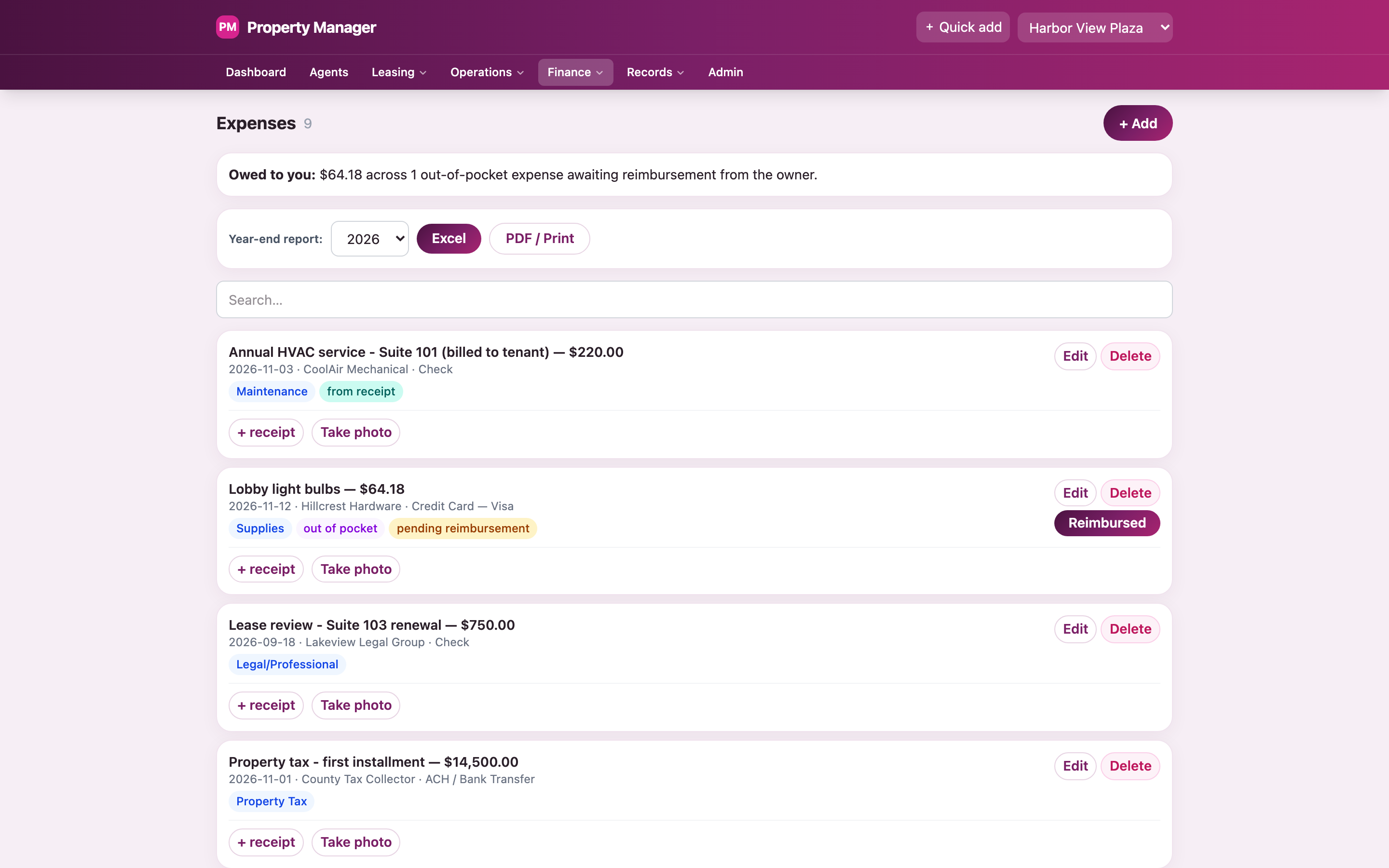
Sample expenses. One was read from a forwarded receipt.
The AI team
Ask in plain words. The right agent drafts the work.
Five AI agents each have a job: a manager who routes requests, plus leasing, maintenance, rent, and legal. Type a request like "the AC is out in Suite 103, get someone out this week." The manager hands it to the right agent.
manager
Routes the requestAnswers general questions too.
leasing
Listings and new leasesDrafts listings and lease documents.
maintenance
Repairs and vendorsCan search the web for local vendors.
rent
Statements and renewalsFlags leases coming due.
legal
Notices and recordsDrafts notices and checks documents.
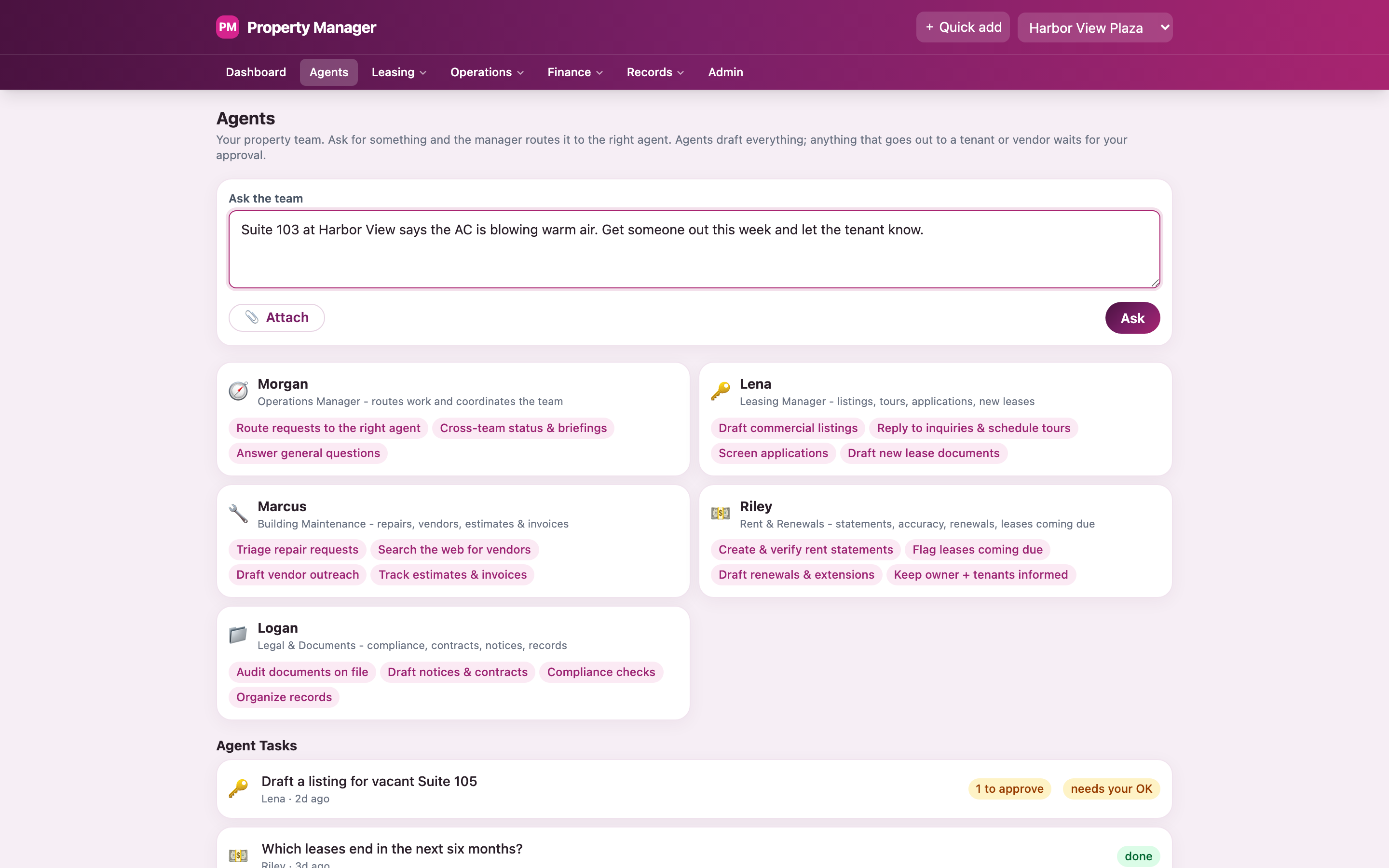
A request typed in, and the five agents.
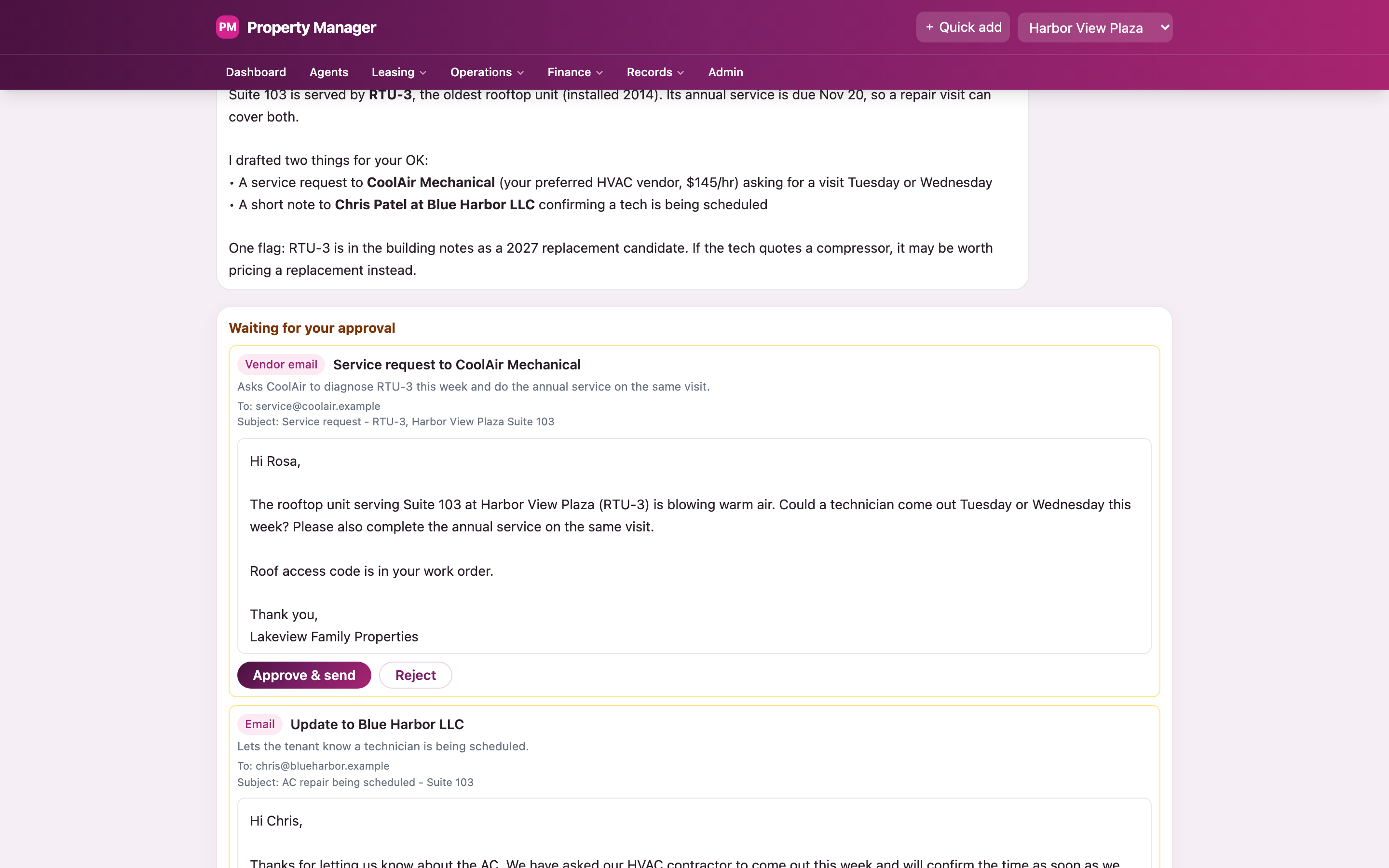
Two drafts, each waiting for Approve & send.
Nothing leaves without the owner's OK.
The agents see the real records: tenants, leases, equipment, vendors, and building notes. They're told never to invent a number. Anything that goes to a tenant or vendor waits as a draft until someone presses Approve & send.
- Attach a file to a request
- Reads an incoming email and suggests the next step
- Works with Claude on the desktop, and its drafts still need approval
- Shows what the AI costs, by day
Letters and records
Write a letter once. Send it to every tenant.
Notice templates fill in each tenant's name, suite, and address on the company letterhead. Preview the exact letter each tenant will get, and flip between tenants to check. Every letter is kept on the tenant's record, with its response deadline.
Every file in its place.
Documents attach to a building, a tenant, a lease, a vendor, a job, or a piece of equipment. Write one-off letters, log a paper notice that was already sent, or email a group of tenants.
- Templates for renewals, late rent, parking, noise, and more
- Your own fill-in fields, beyond the built-in ones
- A shared mailbox inside the app, with attachments filed to records
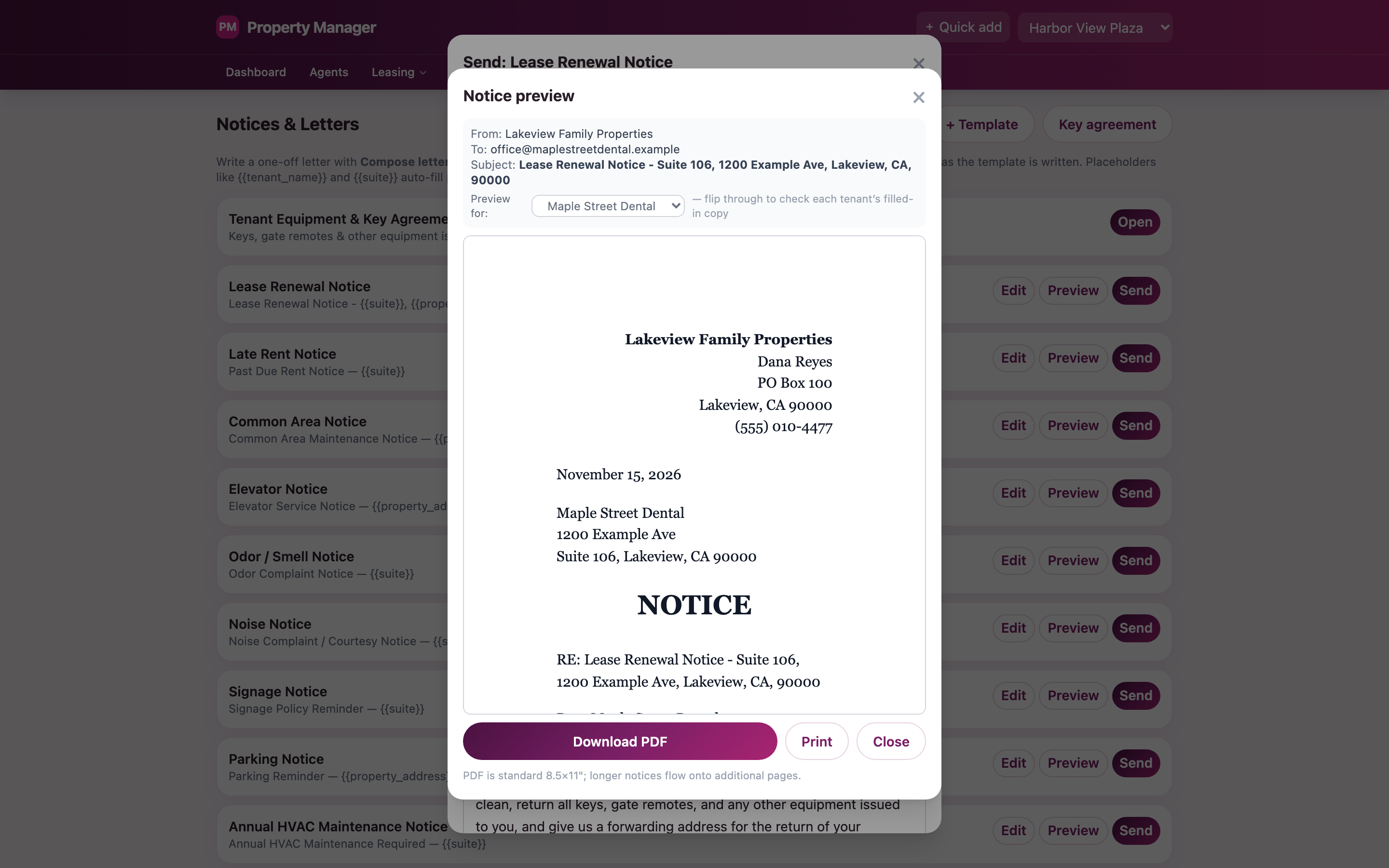
A renewal notice, previewed for one sample tenant.
Safety net
Every change can be undone.
Every add, edit, and delete is logged with the old and new values, and who made it: a person, the app, or Claude. One click on Revert puts it back. Every scheduled job is logged too, whether it worked or failed.
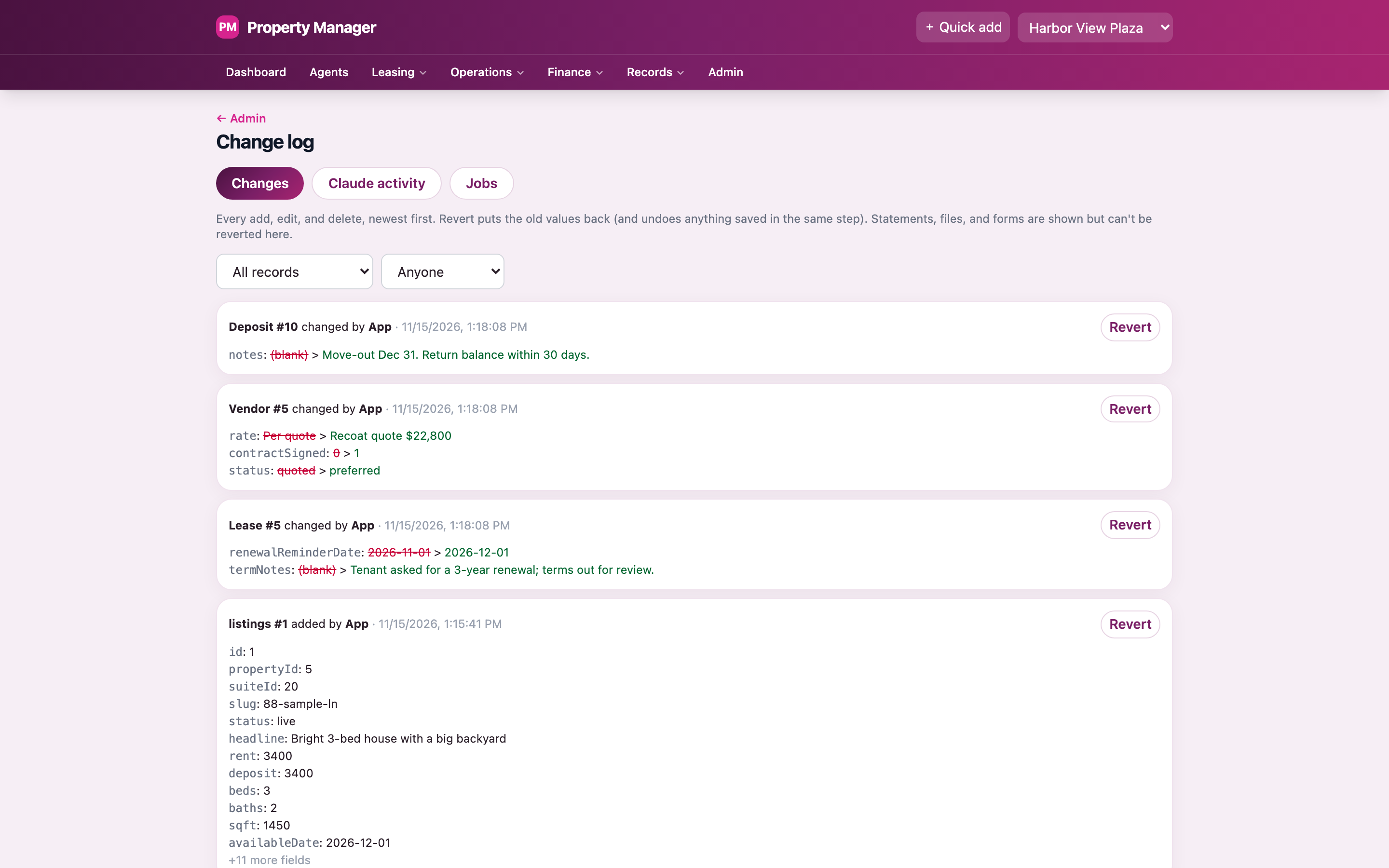
Old values crossed out, new values in green, and a Revert button on each.
Invite-only sign-in
Google sign-in for invited people only, with owner and member roles.
Daily backups
A snapshot every day, 60 kept, plus a weekly copy stored somewhere else.
A spreadsheet copy
Every night, all the data is copied to a Google Sheet, one tab per type.
Updates never wipe data
Changes to the app only add to the database. Real records are never reset.
Everything else in the box
The rest of what it does.
Quick add
Type or say one line, and it becomes a reminder, a note, a vendor, or a job for the AI team.
Reminders that repeat
Monthly, quarterly, or yearly, tied to a tenant or a building.
A Monday email
A weekly summary of what's coming up.
Calendar feed
Lease, repair, and statement dates in the owner's own calendar.
Home rentals, too
A newer part of the app handles houses: listings, showings, applications, move-in steps, and a tenant portal.
Works like a phone app
Add it to the home screen and it opens like any other app.
How it was built
Built around one owner's real week.
I didn't start from a generic property app. I started from what the owner actually does each month, in the order they do it, and built the screens around that.
Phone first
Most updates happen on site, so every screen was designed for a phone, then widened.
AI drafts, people decide
Agents can read the records and draft anything. Only a person can send it.
Nothing is ever lost
The change log, daily backups, an off-site copy, and a nightly spreadsheet. Four ways back.
One database file, one server
A single SQLite database on a persistent server. Simple to run, easy to back up, cheap to host.
Built with: Next.js and TypeScript, SQLite on a persistent server, Google sign-in, and Claude for the AI team.
Running a building from a spreadsheet and a notebook?
Most owners and managers are. If yours does the same jobs every month, it's worth an hour to see which of them software could take over.
Book a call with David