 Givata
Content studio · Givata's own
Content for several brands, in each one's own voice.
Rabuta lets one person run the posts and videos for several brands from one place. It finds what's working, writes in each brand's own voice, and blocks any claim the brand can't back up. Then it edits the video, schedules the posts, and drafts the replies. Nothing goes out until a person says yes.
Built with Next.js, Postgres, and Claude · video edits run on ffmpeg
The trailer
Under a minute, every feature.
The app needs a login, so this video is the tour. It shows the real app using a made-up coffee brand.
What it is
A content team's whole week, in one app.
Each brand gets its own workspace. That workspace holds the brand's story, its voice, the facts it's allowed to use, its channels, its calendar, and what it costs to run. Switch brands from the top bar. Everything on this page happens inside one of those workspaces.
Before
- Five tools: one to research, one to write, one to edit video, one to schedule, one for replies
- AI posts that sound like AI and like each other
- Made-up numbers and customer stories slipping into posts
- The same post pasted on every channel
- No idea what the AI is costing each month
After
- One app for all of it, one workspace per brand
- Drafts learned from the brand's real posts, then checked for AI habits
- Any claim without an approved fact behind it is blocked
- Each channel gets its own version, within its own limits
- Every AI call logs its own cost, by brand and by day
The front door
Three questions, then Go.
Someone who has never seen the app can use it. What do you have: a topic, some text, or a video? What do you want: which channels? Then press Go. Or just type it in a sentence, and the form fills itself.
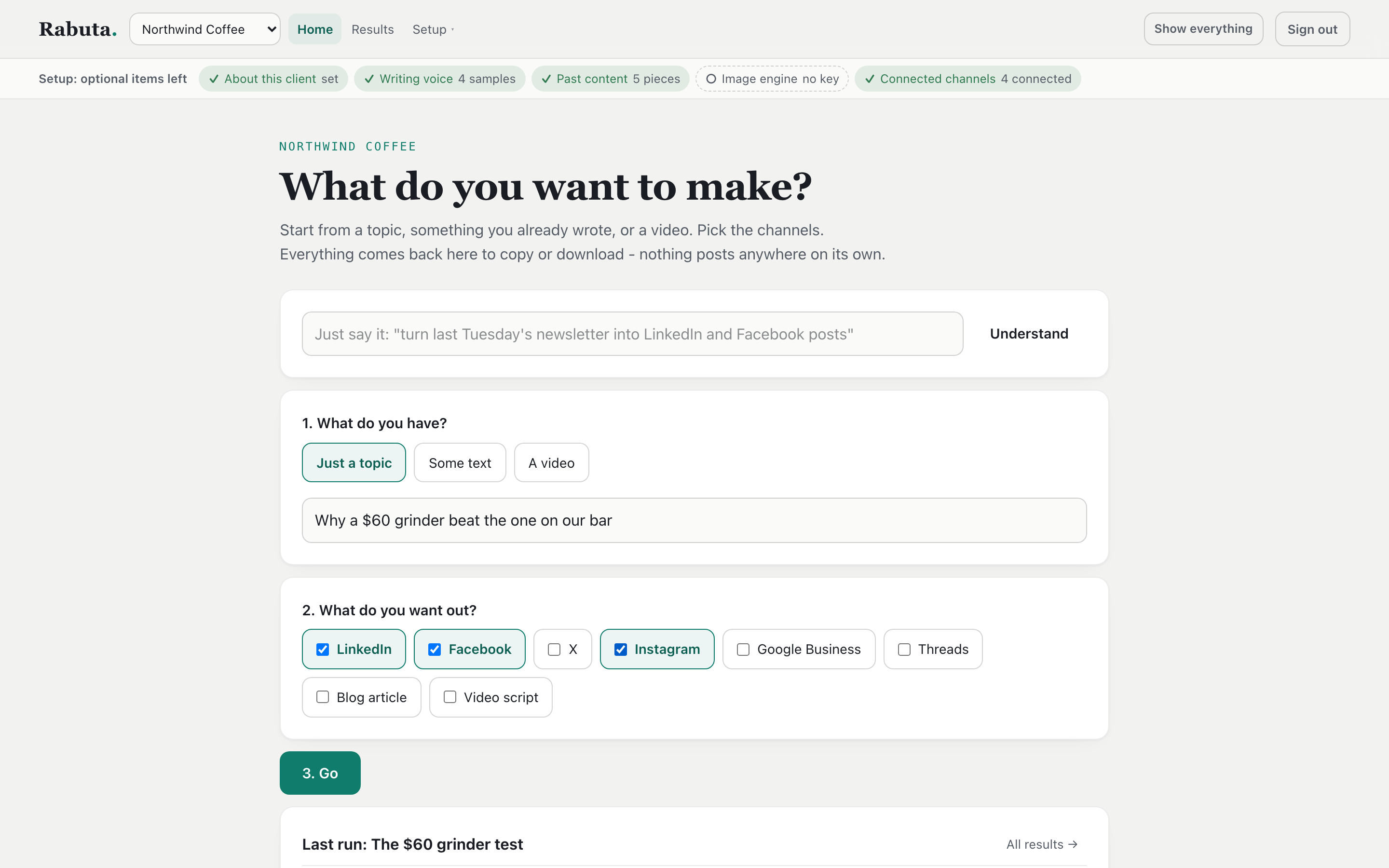
A sample brand's home screen. Pick a starting point and the channels.
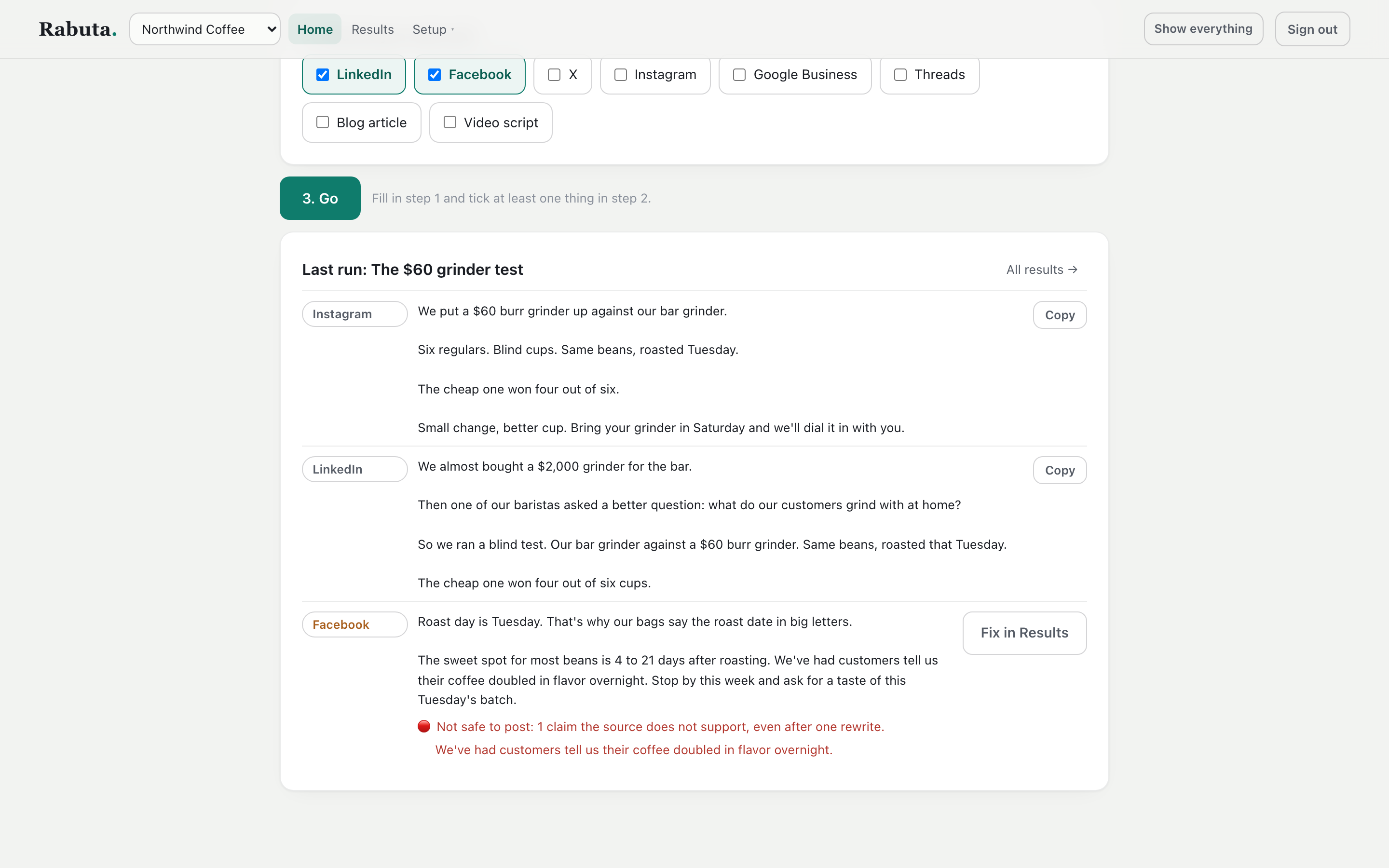
Two posts ready to copy. The third is blocked, and the problem sentence is shown in red.
Results stay put
Close the tab and come back. The last run's drafts are still on Home, each with a Copy button.
A setup checklist per brand
A strip at the top shows what's missing, like a voice sample or connected channels, and links to the fix.
Show everything
One switch opens the full studio, with every tool in it.
Research
Start from what's already working.
Rabuta reads Reddit, Hacker News, news feeds, and YouTube for each brand's topics. It groups what it finds into trends and scores them. One click turns a trend into a post draft or a video script.
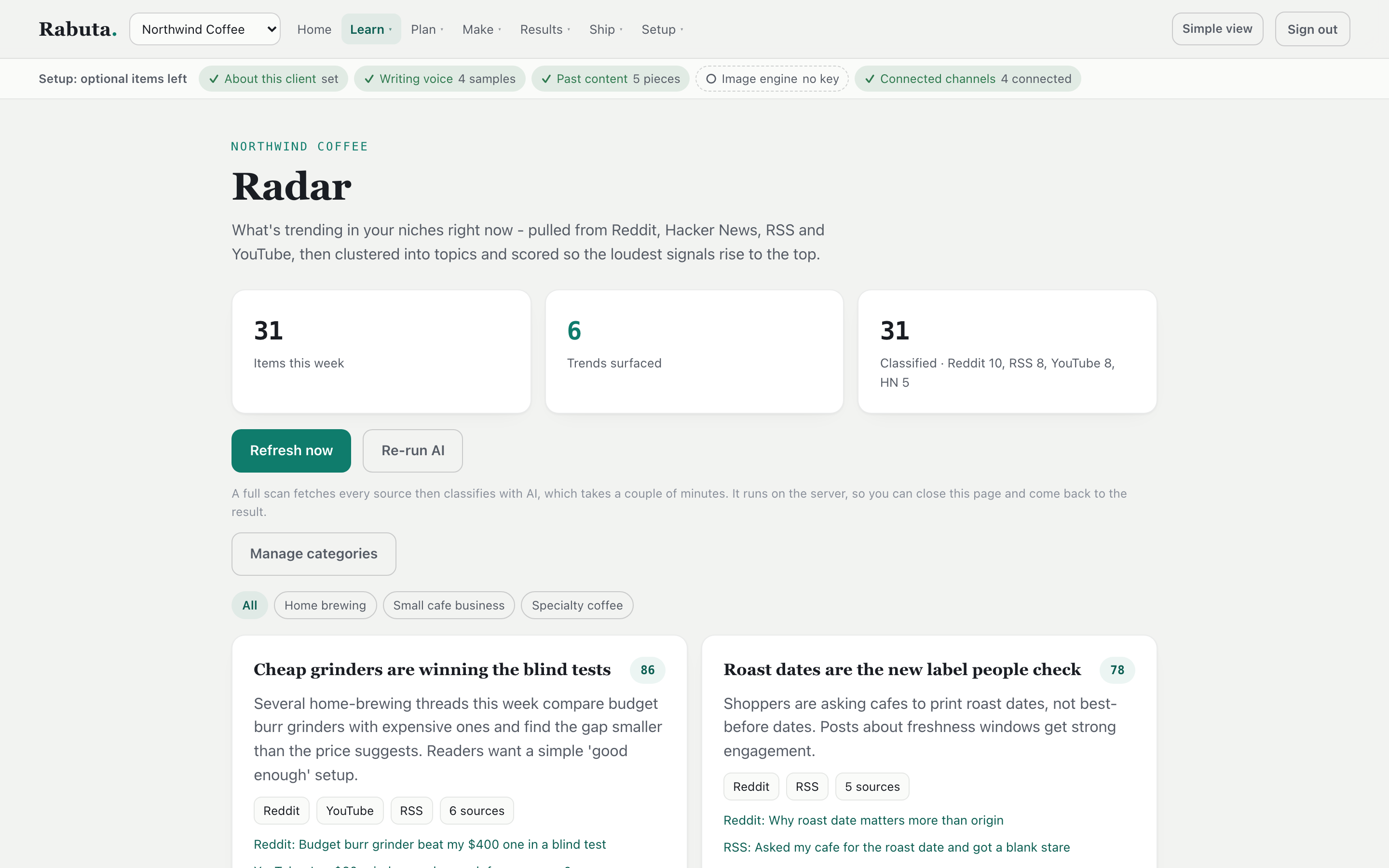
This week's trends for the sample brand, each with a score and its sources.
Ideas, and the posts that proved them.
The idea board ranks post ideas by how useful they are to the reader. Approve one and send it to a week of posts.
The saved-examples library takes posts that did well and breaks them down: the hook, the steps, and why it worked. Pour your own topic into one of those structures, or let every draft learn from them.
- Each topic has its own sources and its own keep and avoid rules
- Real view counts pulled in, so a video that beat its own channel stands out
- Watch people, searches, and channels on a schedule
- Save any post you see on the web with one browser button
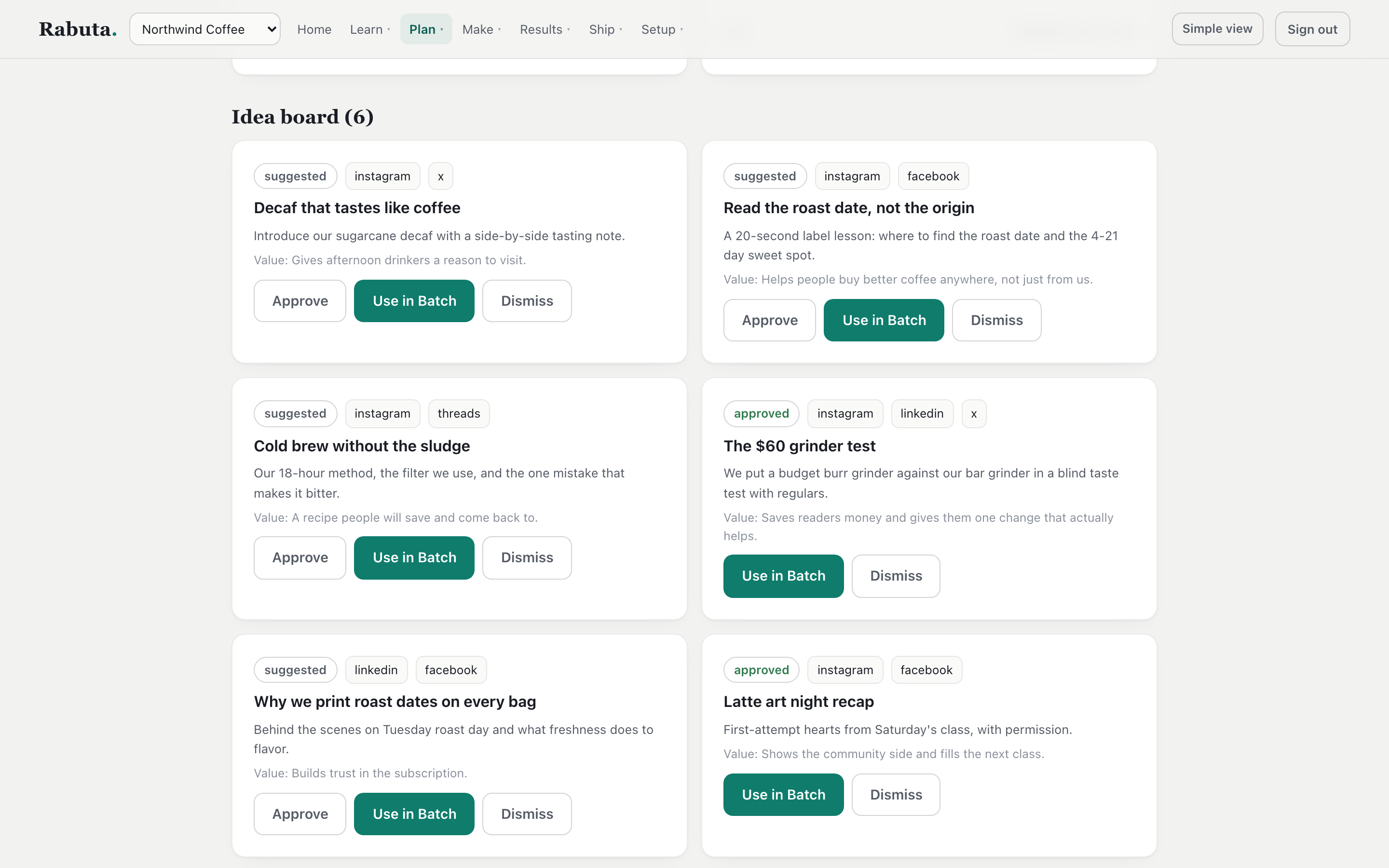
Six ranked ideas, ready to approve or send to a batch.
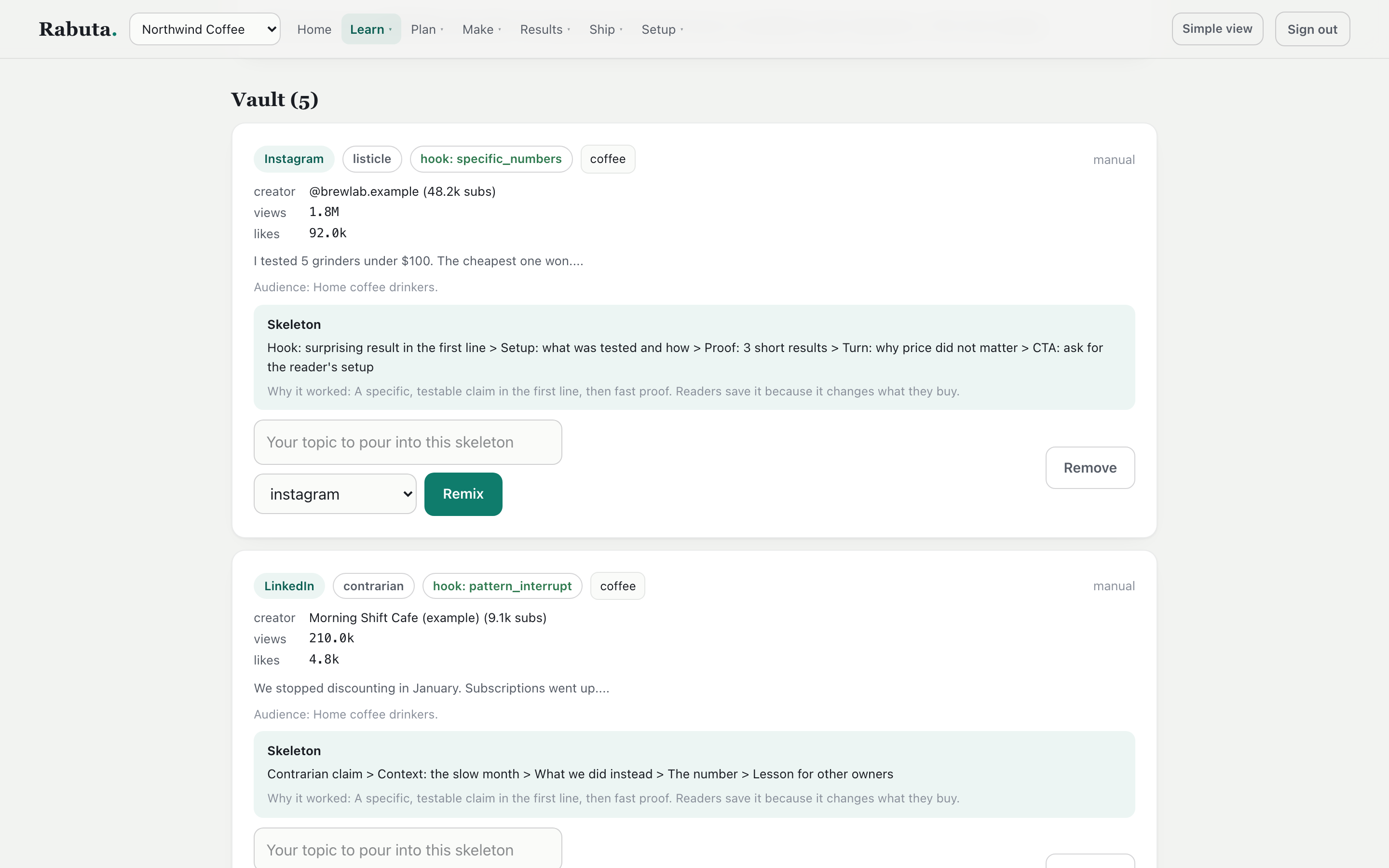
A post that worked, broken into a structure you can reuse.
Writing, and the checks
It writes like the brand, and it can't make things up.
Most AI writing tools sound the same, and they invent numbers. Rabuta learns each brand's voice from its real posts. Then every draft goes through checks before anyone sees it.
voice
Learned from real postsTone, sentence length, and the brand's own phrases.
platform
A version per channelEach one fits that channel's limits and habits.
ai habits
Checked and rewrittenA grader scores the draft and rewrites it until it passes.
claims
Facts onlyA number or story with no approved fact behind it is blocked.
freshness
No old news as newOld material can't be framed as "just happened."
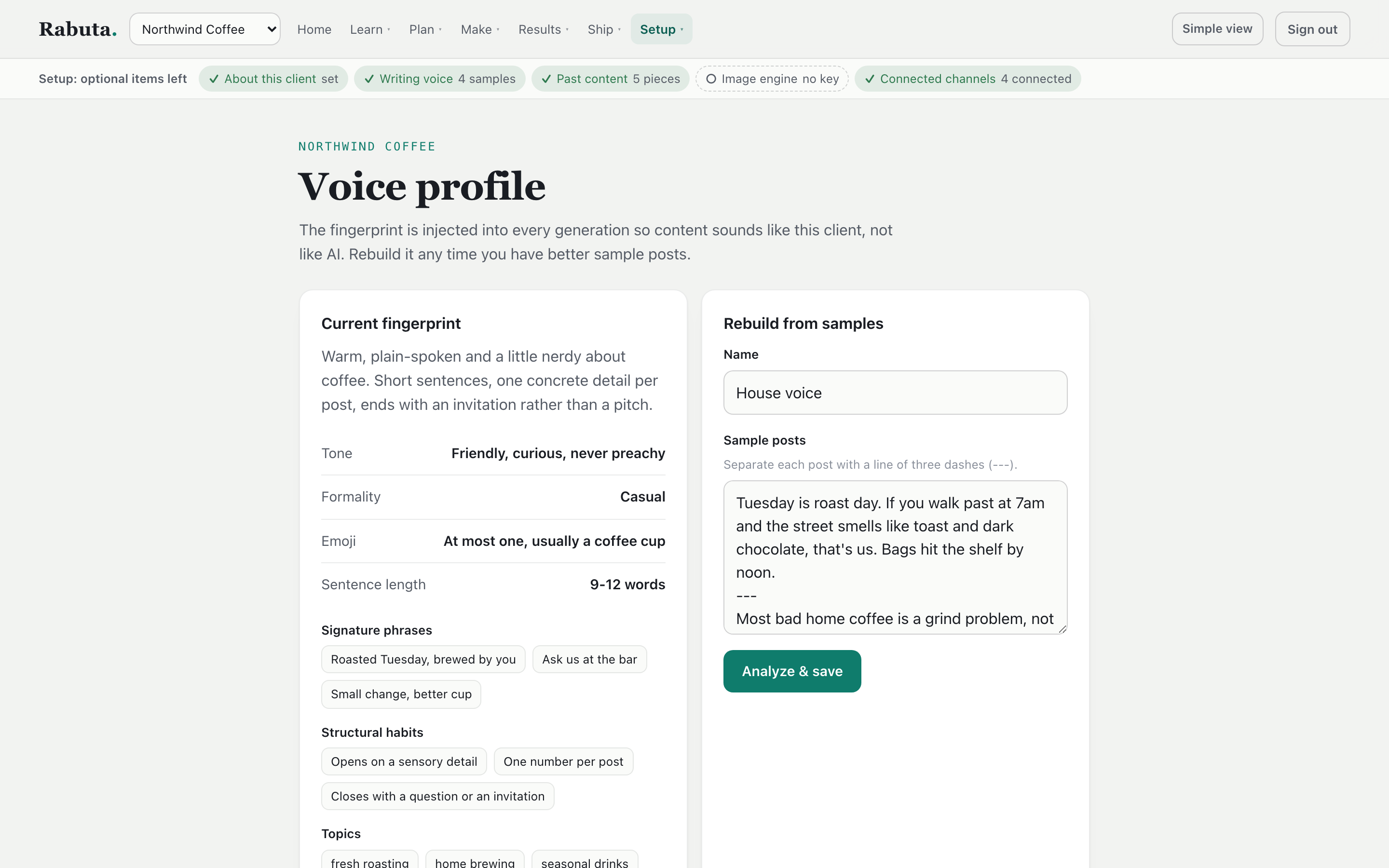
The sample brand's voice, learned from its posts.
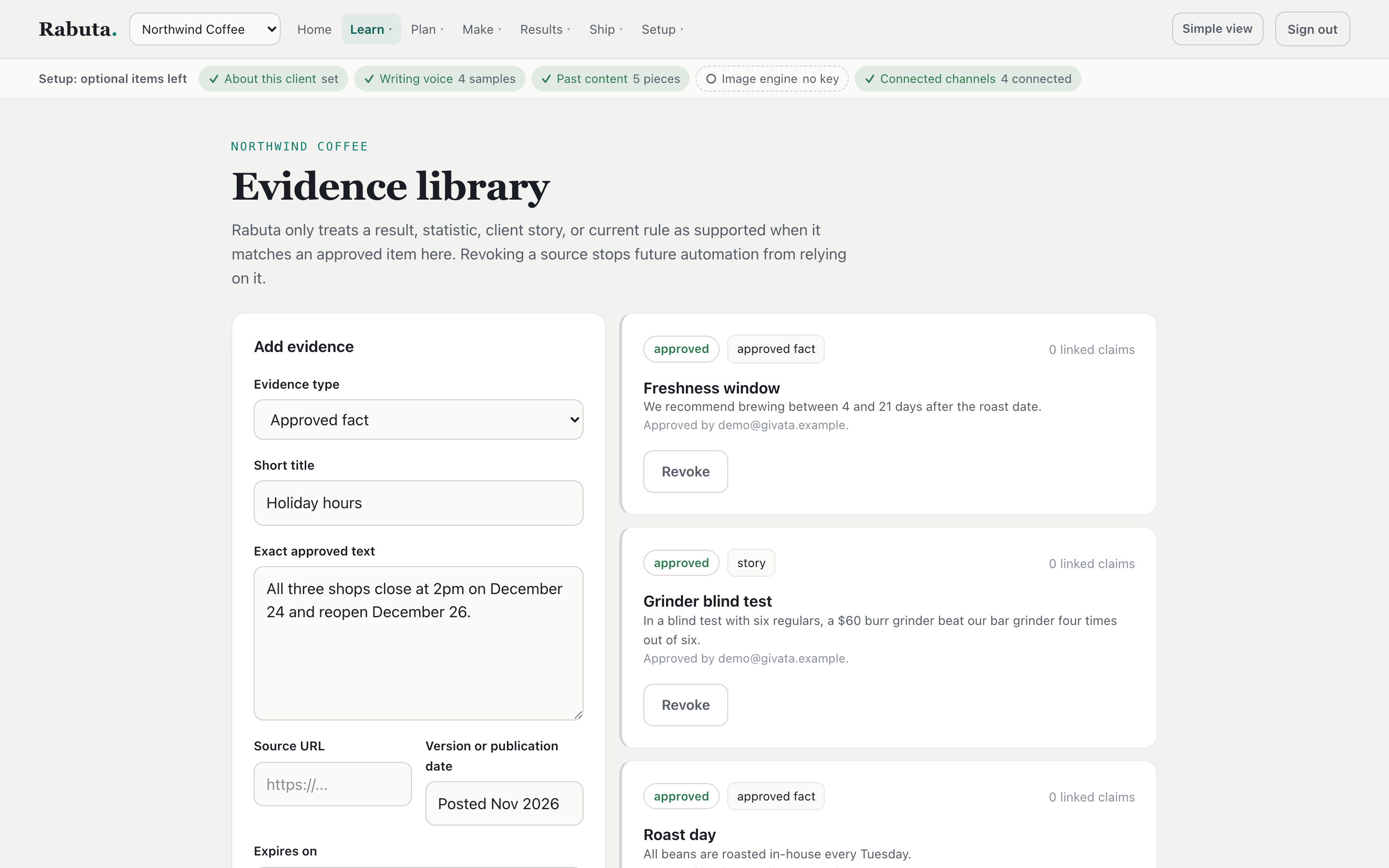
The facts a draft is allowed to use. Remove one, and drafts stop using it.
A brief for each brand
What it does, who it serves, its strong opinions, and its stories. It can draft itself from the brand's website.
One post, or a whole week
Turn one topic into one checked post, or a week of posts dropped into open slots.
Reuse what you wrote
Turn last month's newsletter into posts for any channel.
Fix my text
Paste anything to make it sound more human, grade it, proofread it, or check its facts.
Articles on a calendar
A keyword calendar fills itself. Each article is researched, checked for search basics, and kept under a monthly budget.
Hard limits are hard
Character, image, and video limits for each channel block a post. Softer best practices just guide the writer.
Graphics and video
Slides with exact text, and video you can edit by asking.
Carousels and quote cards are set in real type, in the brand's colors. So the text is always spelled right, and each one is free to make. Video goes through clear steps, and every edit keeps the version before it.
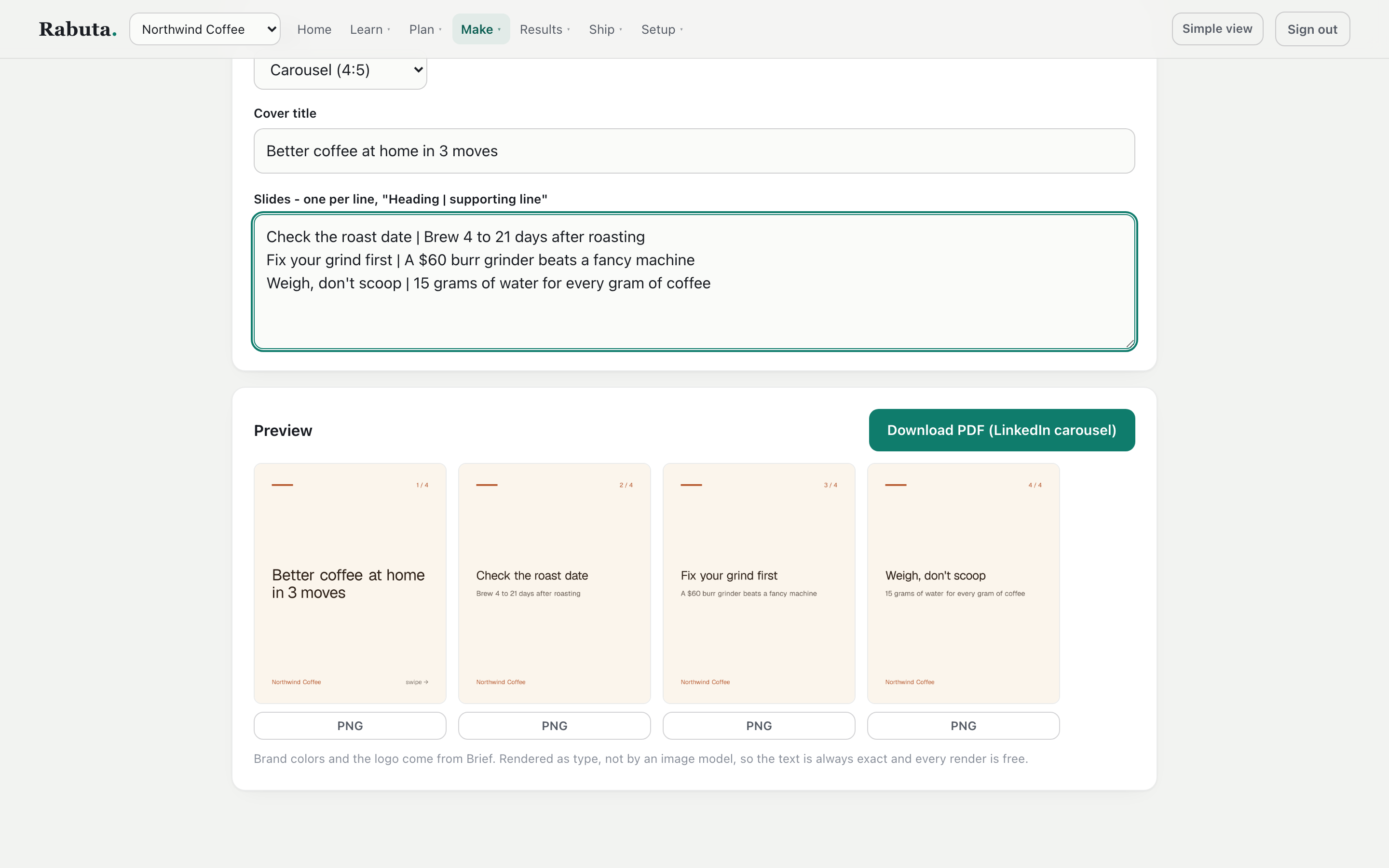
Type a line per slide and the carousel is built. It also exports as a LinkedIn PDF.
Upload a recording. Cut it down with a click.
Each button makes a new version: cut the filler words and retakes, cut the pauses, trim, reframe for a phone, add captions, add text, or add a watermark. Star the one you like. You can always go back to an earlier cut.
Cuts are found from the audio and land on quiet moments. The result is transcribed again to check it. It can also pick a 20 to 55 second moment from a long video and make it a vertical Short.
- A video project moves through idea, script, packaging, and review
- Try a variation of any step and keep the one you like
- The frame follows the speaker across cuts, so they don't jump
- A list of each brand's names fixes how the transcript spells them
- Titles, descriptions, tags, and downloads ready to post yourself
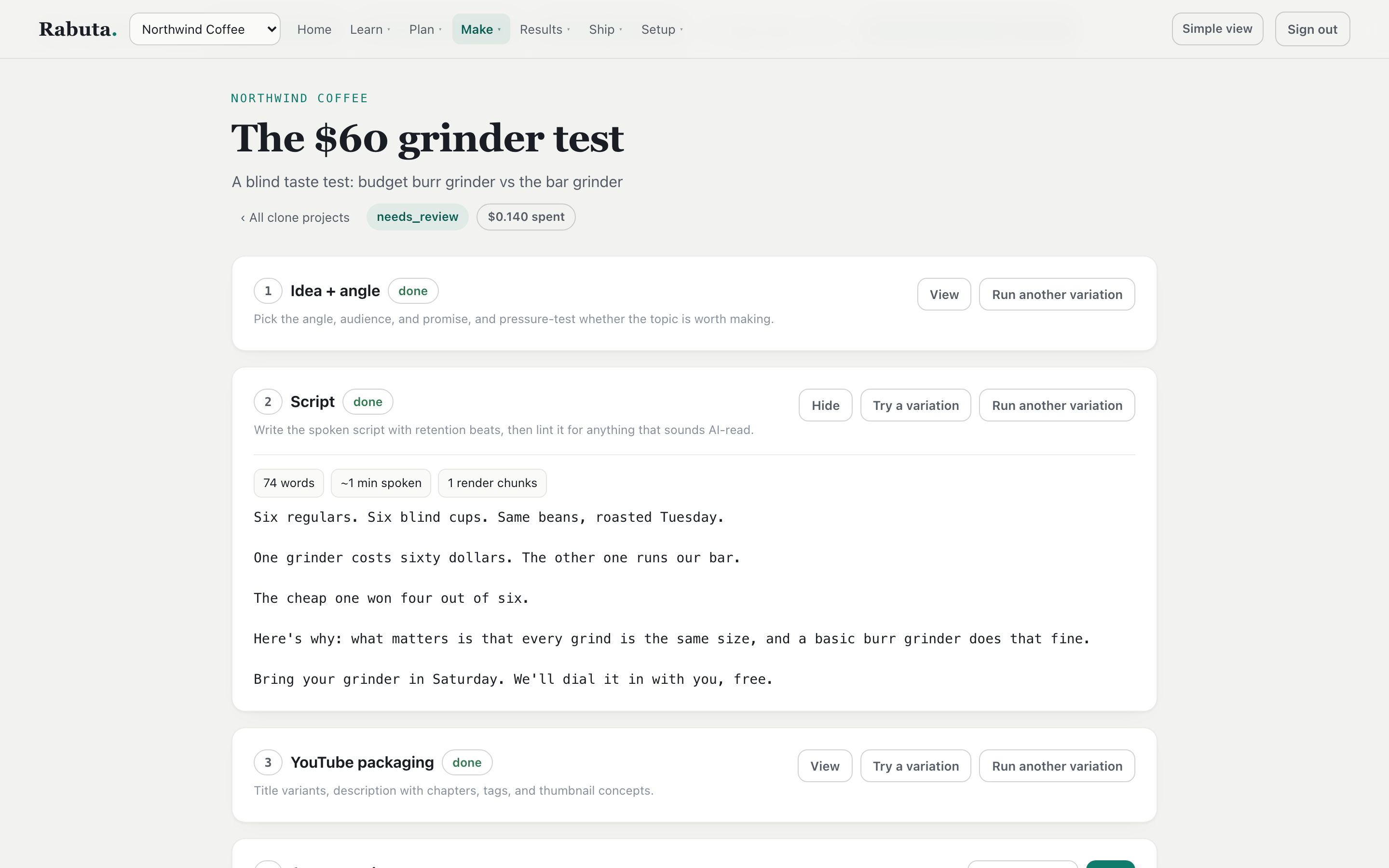
A sample video project, with the script opened.
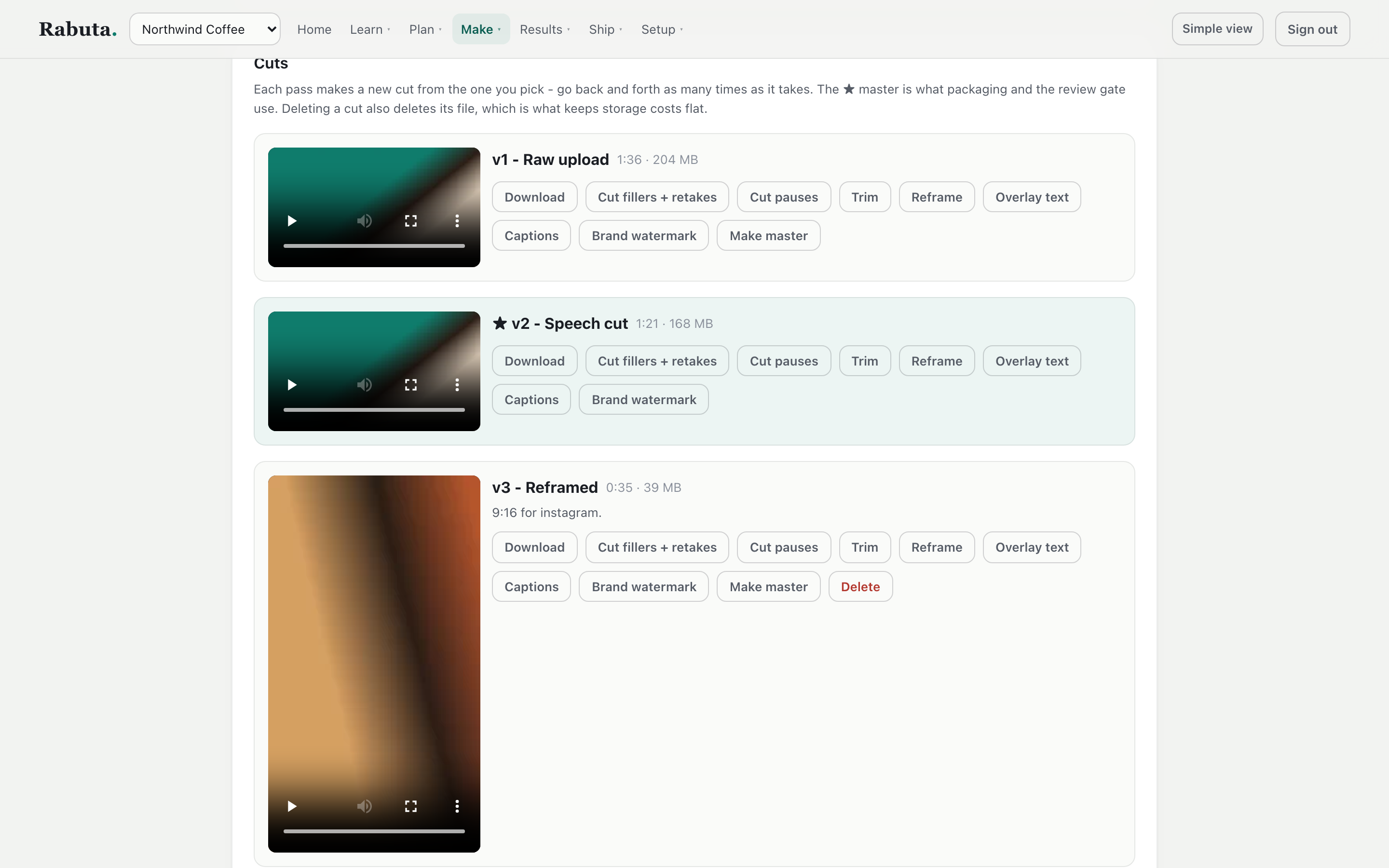
Every cut is kept. The starred one is the master.
Review, schedule, reply
See every post the way it will look. Then say yes or no.
The review screen shows each waiting post as it will appear on its channel, with its score and how AI-like it reads. Approve it, publish it now, or reject it. Auto-publishing is off until you turn it on for a brand.
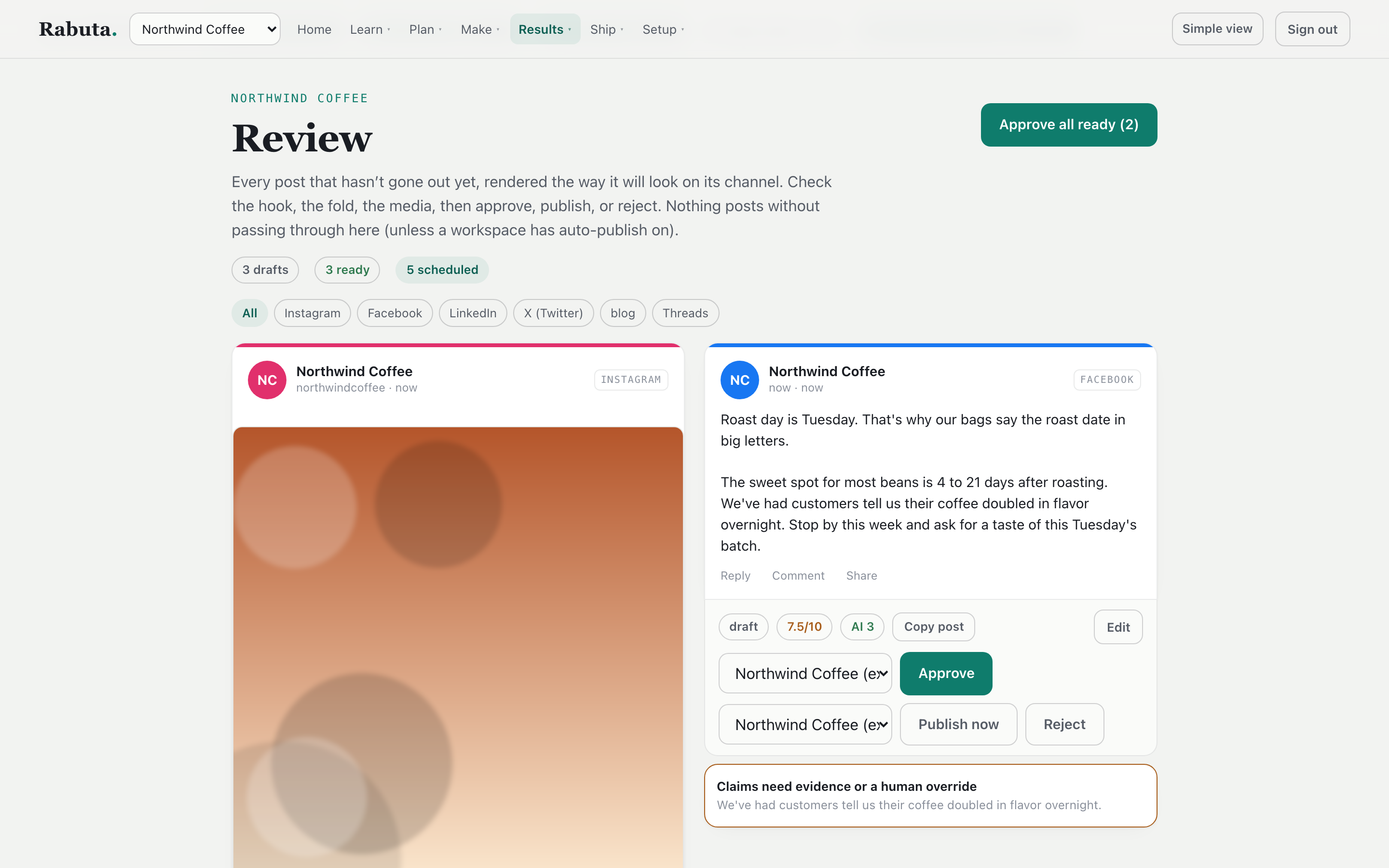
Two sample posts waiting for review. One carries a warning about a claim.
A calendar, and one inbox for every reply.
Approved posts land in time slots that follow each channel's best practices, and you can change the slots. You always pick which account a post goes to. There's no "send to everything" button.
Comments, messages, and mentions from every channel land in one inbox, with a reply drafted in the brand's voice. Questions about money, complaints, or anything touchy are flagged for a person instead.
- Built to post to LinkedIn, Instagram, Facebook, X, Threads, YouTube, TikTok, and more
- Limits per account, so a brand never posts too often
- A retry can never post the same thing twice
- See what published, what failed, and why
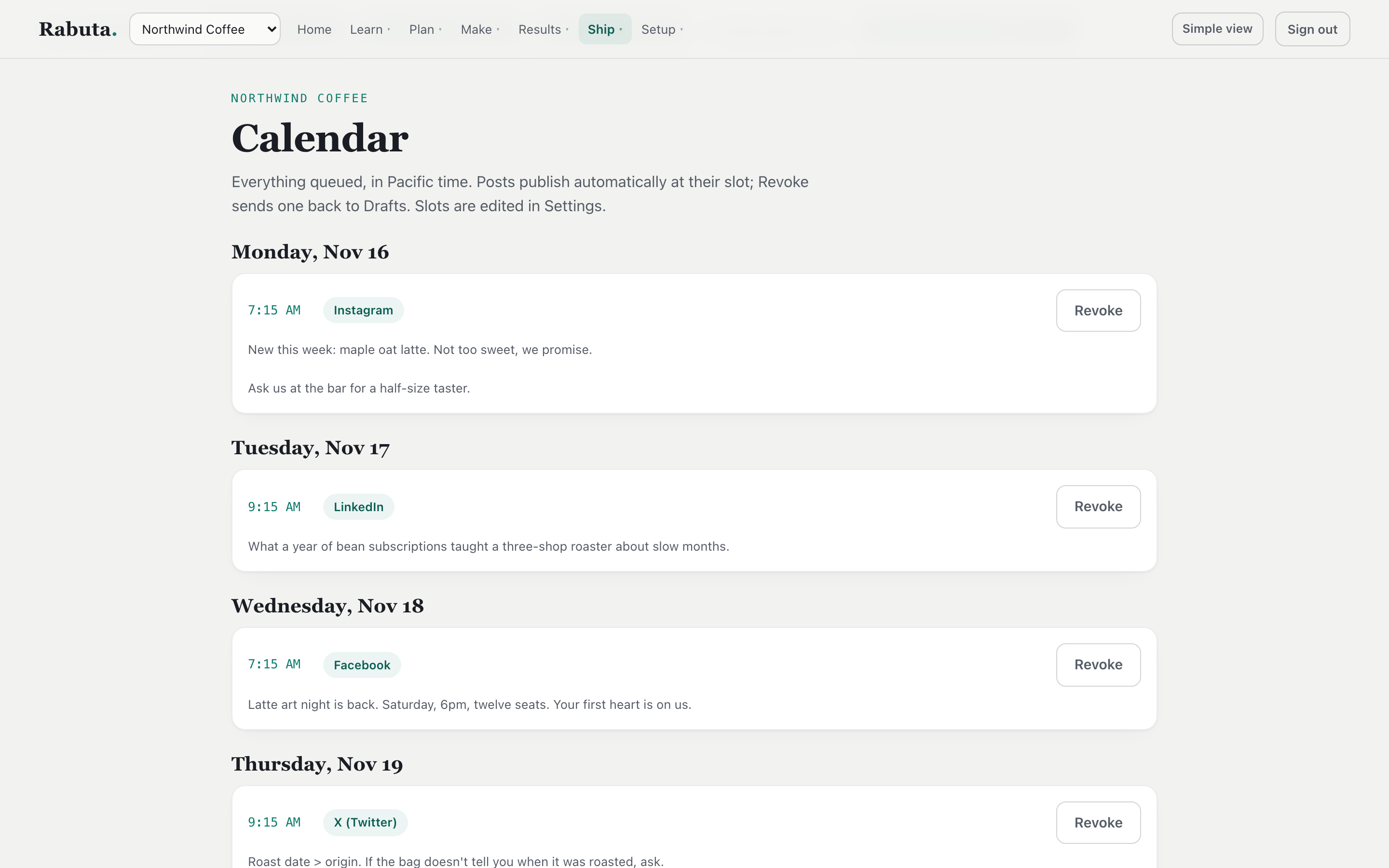
The week's queue for the sample brand.
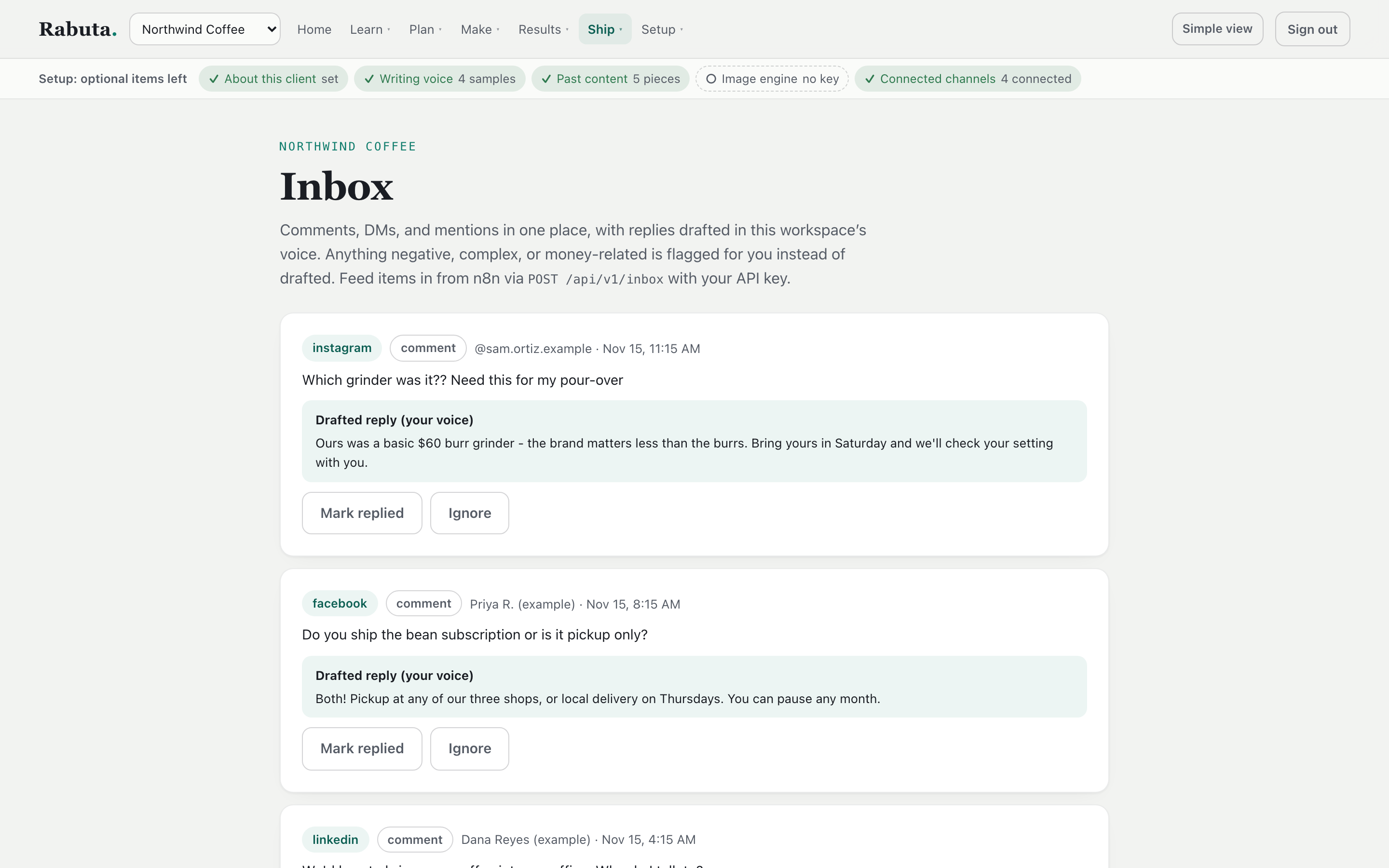
Sample comments, each with a reply drafted in the brand's voice.
Costs and control
Every AI call shows what it cost.
See the spend for each brand by job type, by AI provider, and by day. Set a monthly limit for a brand and get an alert. The app also compares its own cost estimate against what the provider actually billed.
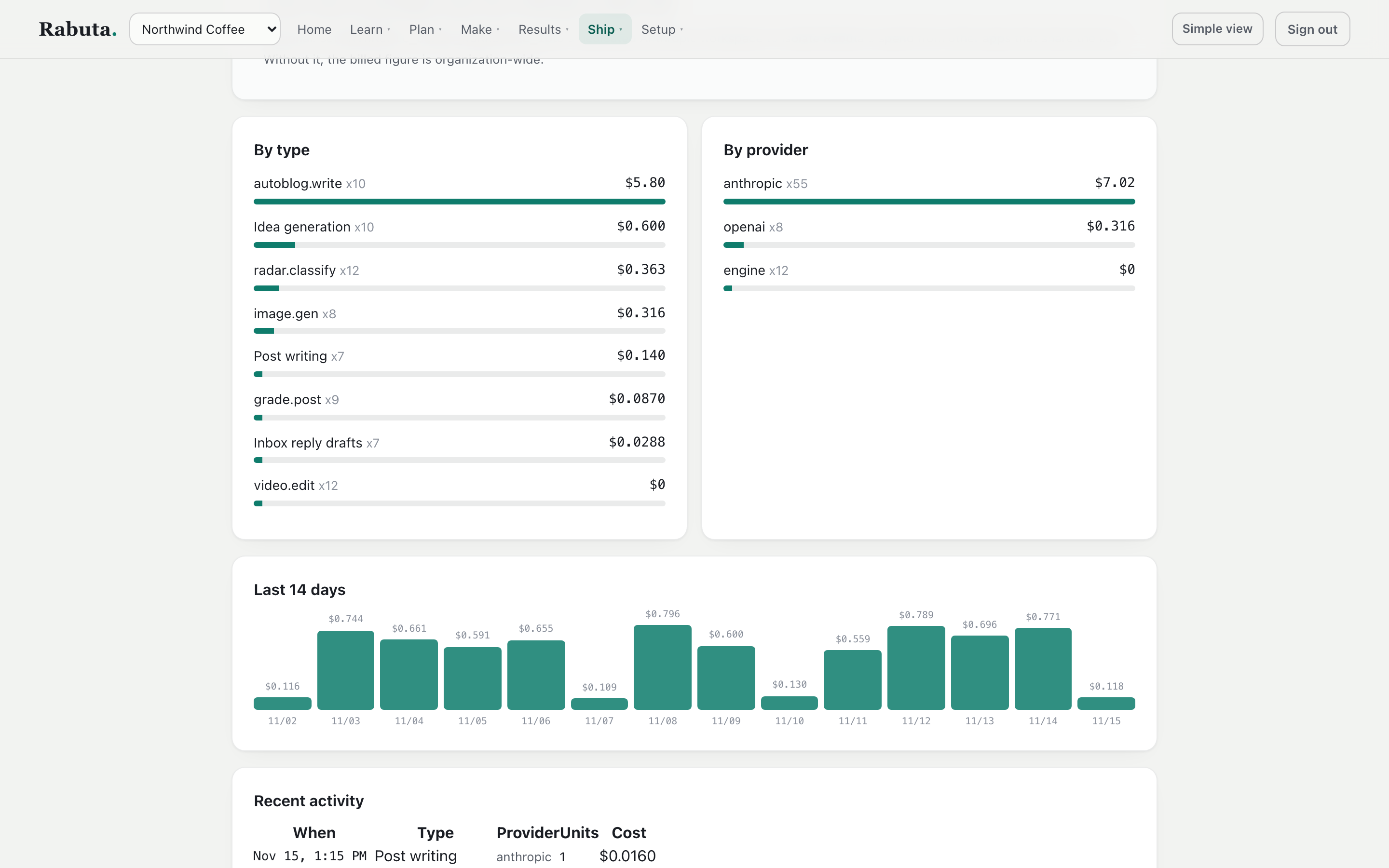
Sample spend for one brand.
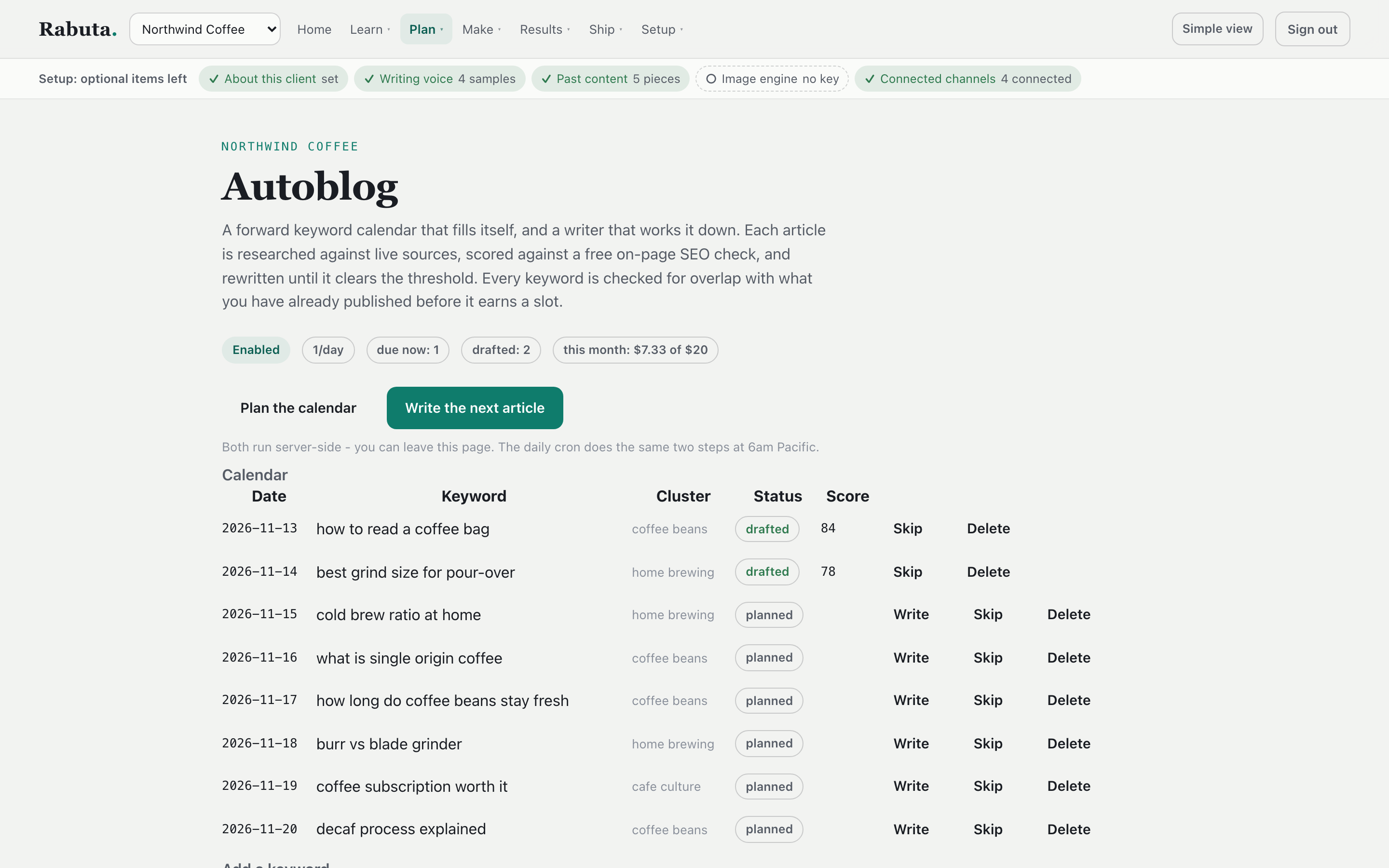
The article calendar, with a monthly budget at the top.
A record of every action
Every publish and every change is logged, with who did it and when.
Alerts that matter
Failed posts, expired account connections, and spending limits are flagged in the app.
Long jobs keep running
Close the tab and the job keeps going. Clicking twice returns the job already running, so you never pay twice.
An API for each brand
Your own automations can create posts, batches, media, and ideas with a key for that brand.
Works with AI assistants
An AI assistant can draft posts, plan a week, research ideas, and check the review queue.
A daily autopilot, still reviewed
Each day it can research, pick the best idea, and write the day's posts. They still wait for a yes.
Everything else in the box
The rest of what it does.
A YouTube channel at a glance
Pull a channel's whole catalog and see which videos beat that channel's normal results.
What winning posts have in common
Compares the top posts in a topic with the rest. It says so when there isn't enough data to tell.
A privacy check before posting
An optional check flags what looks like a person's name or ID number before a post goes out.
AI labels where they're required
Video made with AI gets the right label and disclosure line on its own.
Account secrets stay out of the database
Connection keys are referenced by name and never saved in a table.
Safe web fetching
Every web address it fetches is checked first, so it can't be pointed at private systems.
How it was built
Built to be cheap to run and hard to embarrass.
I built Rabuta as a low-cost alternative to paid content tools. The two rules that shaped it: AI is used only where it earns its cost, and nothing reaches the public without a check.
AI for words, plain code for video
Claude handles research and writing. Video editing runs on ffmpeg and Whisper, on its own server, with no AI cost per edit.
The cost page is the proof
Every call logs its own price. The owner can see at a glance whether it's still cheap to run.
Style rules you can edit
The writing rules come from the owner's own style notes. Change the note, not the code.
One brand can't touch another
Voice, facts, channels, calendar, and costs are kept apart for each brand.
Some parts are built but switched off until a provider is connected, such as AI avatar video and image generation. This page only shows what runs today.
Built with: Next.js and TypeScript, a Postgres database, Claude for research and writing, and a separate ffmpeg and Whisper service for video.
Running content for more than one brand?
Or spending hours a week turning one idea into posts for every channel? That's worth an hour to map out together.
Book a call with David